Adobe x ChatGPT: Photoshop, Express, and Acrobat Inside Your Chat
Updated on
Published on
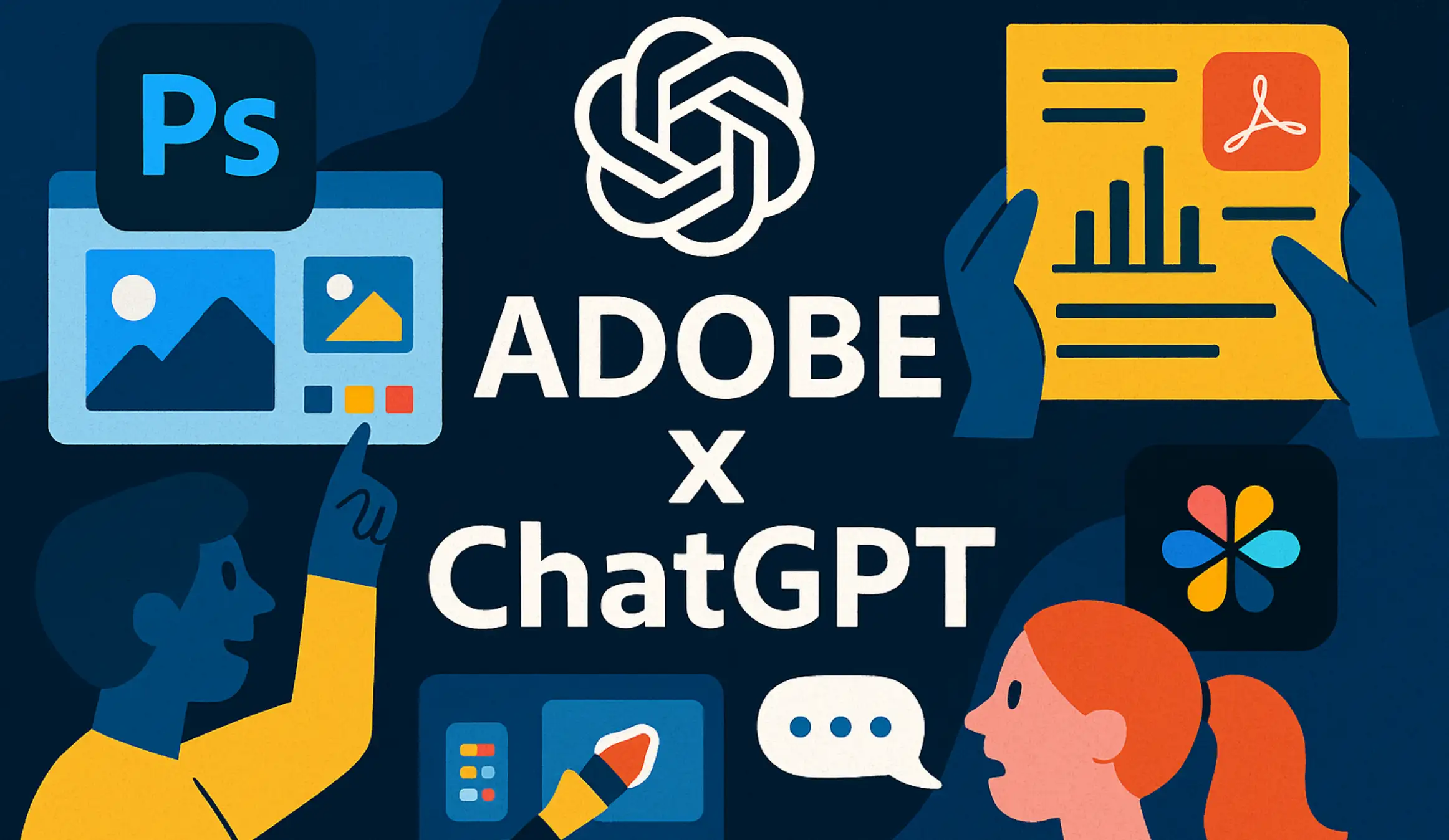
Adobe just turned ChatGPT into a place where you can edit photos, design graphics, and fix PDFs without ever leaving the chat. The new Adobe x ChatGPT integrations bring Photoshop, Adobe Express, and Acrobat into ChatGPT as apps you can talk to, so you describe what you want and the tools quietly do the heavy lifting in the background. Adobe says this makes its flagship apps available to ChatGPT’s roughly 800 million users and that all three integrations are free to use on desktop, web, and iOS from day one. (Reuters)
- Adobe ChatGPT brand collaboration combines OpenAI’s conversational interface with Adobe’s creative and document tools in a single workspace.
- The first wave includes Adobe Photoshop for ChatGPT, Adobe Express in ChatGPT, and Adobe Acrobat for ChatGPT, all available at no extra cost to ChatGPT users. (Adobe Newsroom)
At A Glance
- Adobe Photoshop for ChatGPT, Adobe Express in ChatGPT, and Adobe Acrobat for ChatGPT work together to turn a simple chat into a space where you can edit images, design graphics, and manage PDFs without leaving the conversation.
- The Adobe ChatGPT partnership make powerful creative tools feel approachable, so even people who have never used Photoshop, Express, or Acrobat before can get polished results just by describing what they want.
How Adobe x ChatGPT works
To use these tools you connect them once inside ChatGPT, then call them by name whenever you need them. In Settings you go to Apps & Connectors, pick Adobe Photoshop, Adobe Express, or Adobe Acrobat, sign in with your Adobe account, and you are done. After that you can type something like “Adobe Photoshop, brighten this image and remove the background” or “Adobe Acrobat, combine these PDFs and compress them for email,” and ChatGPT automatically hands off the task to the right app. (Adobe Blog)
- Each app appears as an embedded panel inside the conversation with previews and simple controls so you can tweak results without switching windows. (The Verge)
- When you want deeper control you can click “Open in Photoshop,” “Open in Adobe Express,” or “Open in Acrobat” and continue in the full desktop or web app with your edits carried over. (Adobe Blog)
Availability and pricing
Adobe Photoshop for ChatGPT, Adobe Express in ChatGPT, and Adobe Acrobat for ChatGPT are launching globally on ChatGPT’s desktop client, web app, and iOS app at no extra charge. Adobe Express is already live on Android, while Photoshop and Acrobat support on Android will follow shortly, so mobile users will gradually get the same conversational workflows. (Adobe Newsroom) You still need an Adobe ID to connect, but you do not need a paid Creative Cloud plan just to use the ChatGPT integrations.
- The tools are free to ChatGPT users, though some advanced work may still make sense in paid Creative Cloud or Acrobat subscriptions. (Reuters)
- Adobe Acrobat for ChatGPT is not yet available in the EEA, Switzerland, or the UK because of regional restrictions, while Photoshop and Express are rolling out more broadly. (Adobe Help Center)
.webp)
Adobe Photoshop for ChatGPT
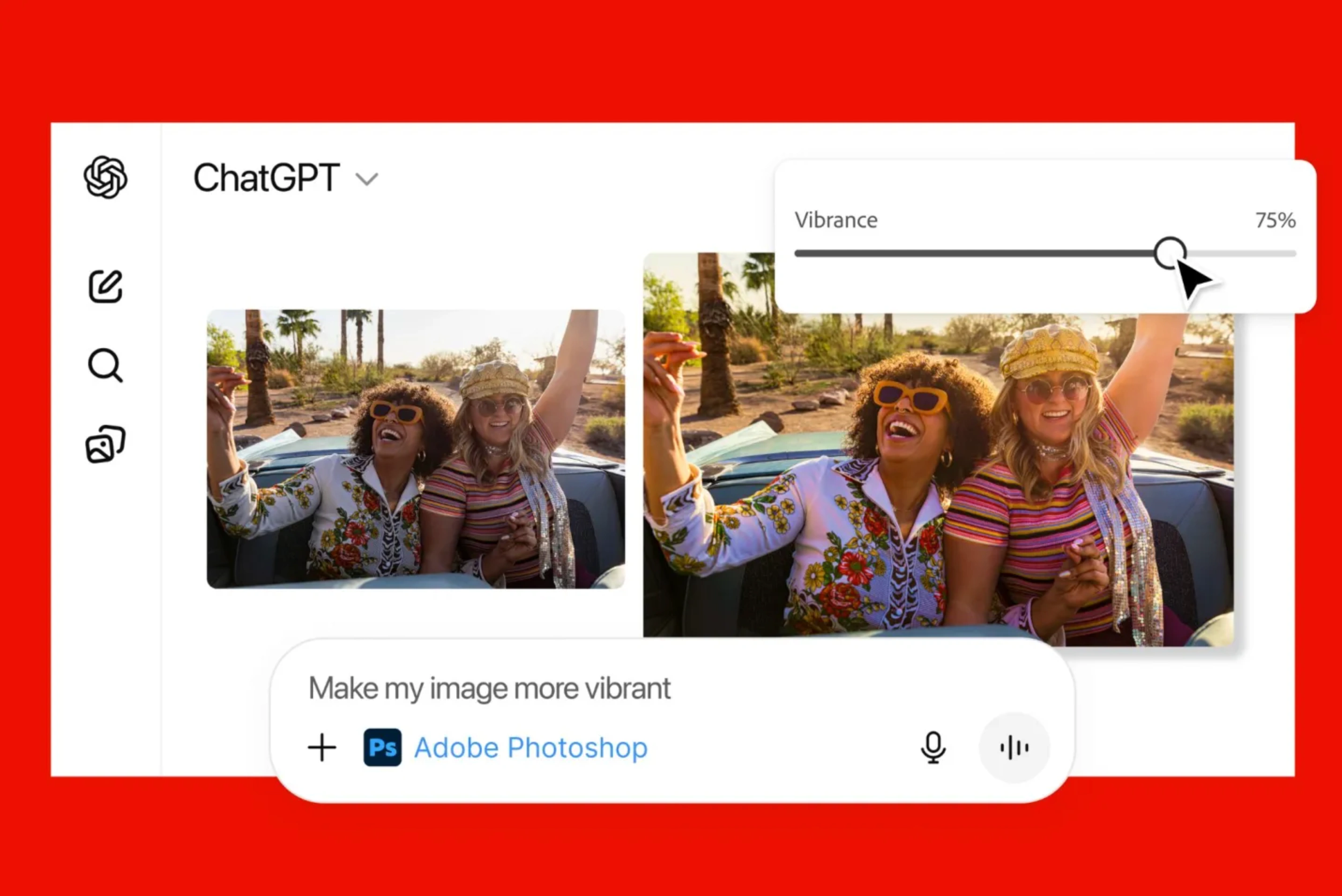
Adobe Photoshop for ChatGPT focuses on the tasks people most often struggle with, but wraps them in natural language instead of toolbars. You can drag in a photo and ask for simple edits like “make this brighter,” “blur the background slightly,” or “convert this to black and white with a film look,” and Photoshop applies the change with sliders so you can fine tune. It can remove or replace backgrounds, adjust exposure and contrast, sharpen or soften details, and apply effects such as vintage, glow, grain, halftone, or glitch styles, all from plain English prompts. (Adobe Blog)
- Adobe Photoshop for ChatGPT gives non-designers a way to get polished thumbnails, headshots, product photos, or social images without learning layers and masks. (TechRadar)
- Power users can use the chat to explore ideas quickly, then open the result in full Photoshop to refine it with more advanced tools, including Firefly generative features. (Adobe Blog)
Adobe Express in ChatGPT
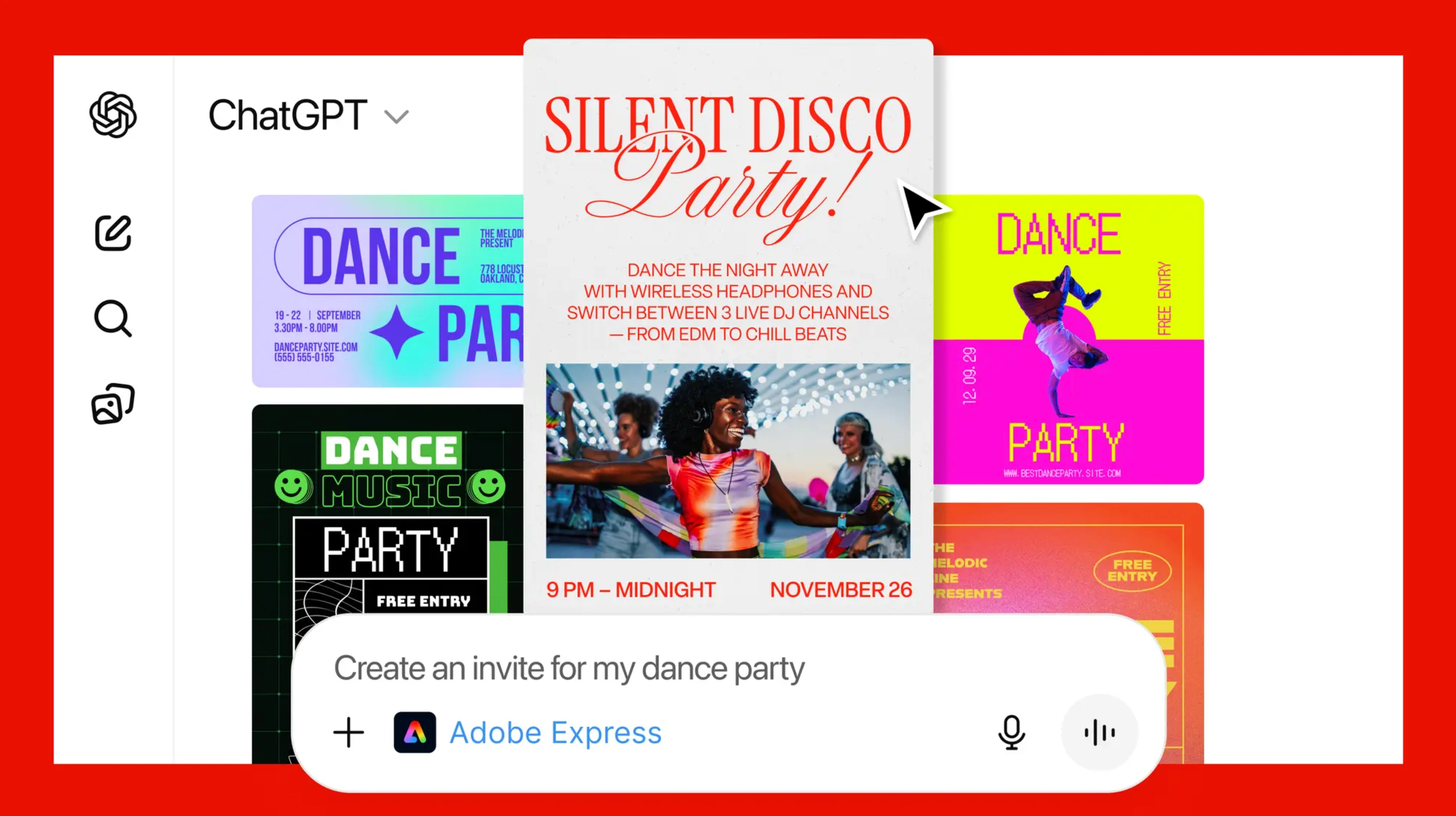
Adobe Express in ChatGPT turns design requests into ready-to-edit graphics, built from the same template library you would see in Express on the web. You can say “create an Instagram story for a winter sale with cozy photos and serif text” or “make a bright birthday invitation for a five-year-old,” and Express surfaces suitable templates that ChatGPT can customise for you. Through follow-up prompts you can change background colours, swap images, rewrite headlines, adjust fonts, and even add simple animations, all without opening a separate design tab. (Adobe Help Center)
- Adobe Express in ChatGPT is especially helpful for marketers, small business owners, and students who need on-brand social posts or flyers fast but do not have design training.
- At any point, you can click “Open in Adobe Express” to move into the full app if you want pixel-level control or access to brand kits and more complex layouts.
Adobe Acrobat for ChatGPT
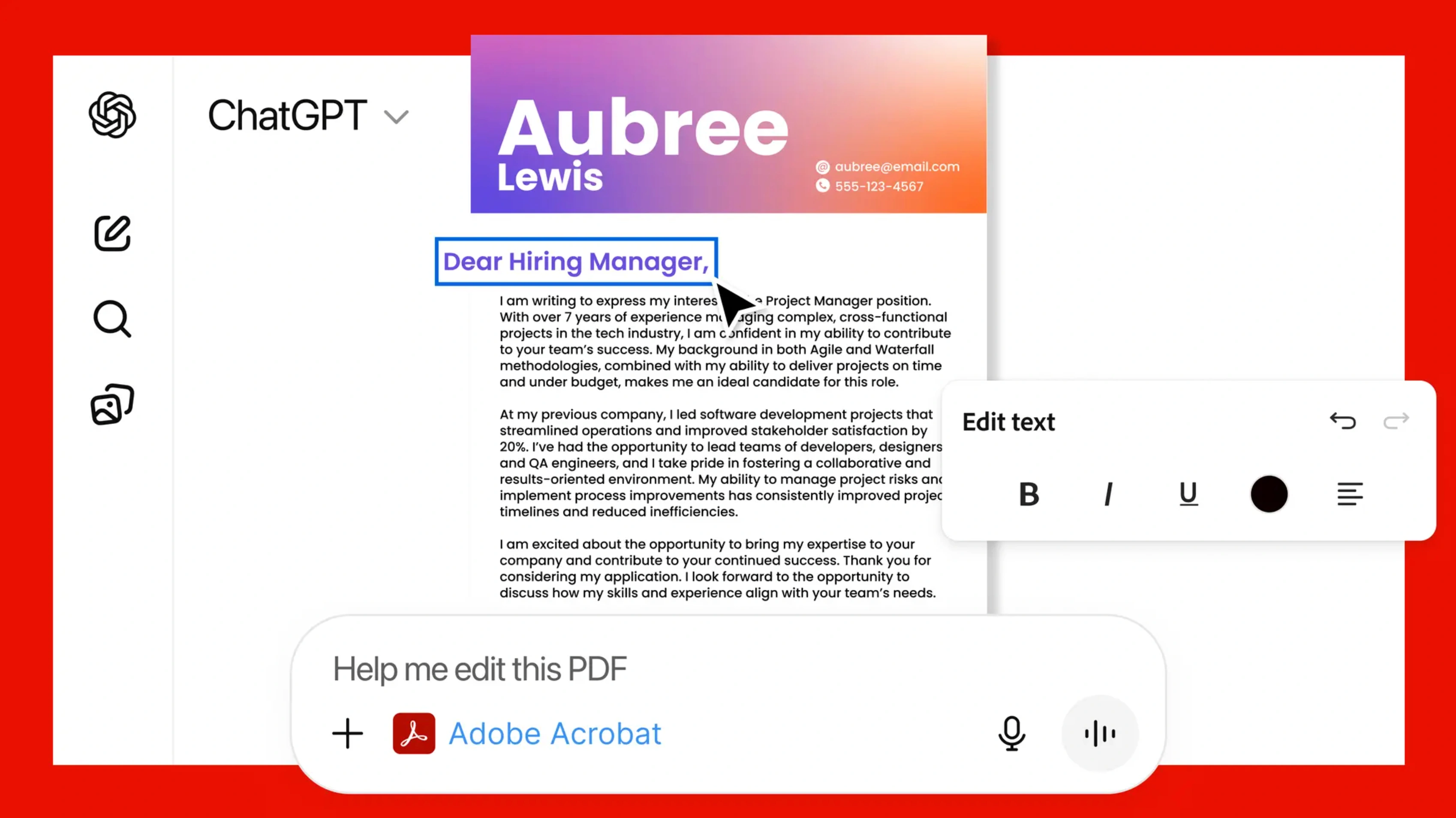
Adobe Acrobat for ChatGPT reimagines PDF work as a conversation instead of a menu hunt. Once the connector is active you can upload a file and ask “change the company name everywhere it appears,” “combine these four PDFs and put a simple cover page at the front,” or “redact all personally identifiable information in this document,” and Acrobat executes the requested operations. In-chat controls let you reorder pages, split or merge files, run OCR on scans, extract tables, compress documents, or convert other formats into polished PDFs while preserving layout. (Adobe Newsroom)
- Adobe Acrobat for ChatGPT is available to all ChatGPT users outside a few restricted regions and supports editing, redaction, organization, creation, and compression tasks. (Adobe Help Center)
- It is particularly useful for assembling application packets, cleaning legal or medical documents, and summarising scanned notes without leaving the chat window. (Adobe Help Center)
What this means for everyday users
For everyday ChatGPT users, the Adobe ChatGPT collaboration means that many tasks that used to require opening three different apps now fit into one conversation. A social media manager can write copy with ChatGPT, ask Adobe Express in ChatGPT to turn it into a campaign of posts, then run a headshot through Adobe Photoshop for ChatGPT to match the look, all without touching a timeline or design panel. A student or knowledge worker can merge, fix, and summarise long PDFs with Adobe Acrobat for ChatGPT instead of hunting through menus or searching for a separate PDF editor. (Adobe Help Center)
- These integrations reduce friction for creative, marketing, and admin tasks, letting people stay in a single ChatGPT thread while Adobe’s tools handle the specialist work. (The Verge)
- Because the tools are free to use inside ChatGPT, they also act as an on-ramp for people who have never tried Adobe software before and might later upgrade for deeper workflows. (Adobe Newsroom)
.webp)
Why Adobe x ChatGPT is strategically important
Strategically, Adobe Photoshop for ChatGPT, Adobe Express in ChatGPT, and Adobe Acrobat for ChatGPT are Adobe’s way of meeting users where they already are as more work moves into conversational interfaces. Reuters notes that this partnership gives Adobe a presence inside one of the most widely used AI platforms at a time when competition from browser-based tools such as Canva and Google’s Gemini is increasing. (Reuters) For OpenAI, the integrations strengthen ChatGPT’s positioning as more than a chatbot, turning it into a control centre that can drive professional-grade creative and document workflows.
- Adobe is betting that conversational access will bring new audiences into its ecosystem and showcase its AI-enhanced features without a download barrier. (Adobe Newsroom)
- For organisations, the arrival of Adobe x ChatGPT means creative and PDF work can be partially automated or delegated to non-specialists, freeing designers and document experts to focus on higher-value projects. (Adobe Help Center)
FAQ
What is Adobe x ChatGPT in simple terms?
It is a set of integrations that lets you use Adobe Photoshop for ChatGPT, Adobe Express in ChatGPT, and Adobe Acrobat for ChatGPT directly inside a ChatGPT conversation.
What can I do with Adobe Photoshop for ChatGPT?
You can ask it to adjust lighting, remove or replace backgrounds, crop images, and apply simple effects to photos you drop into the chat.
What is the point of Adobe Express in ChatGPT?
It helps you turn text prompts into ready to edit designs such as social posts, flyers, invitations, or thumbnails using Adobe Express templates.
How does Adobe Acrobat for ChatGPT help with PDFs?
It lets you combine, split, edit, redact, and compress PDFs by describing the changes you need instead of hunting through menus in a separate app.
Do I need an Adobe subscription to use these tools in ChatGPT?
You need an Adobe account to connect the apps but the basic Adobe x ChatGPT functionality is designed so many everyday tasks work without a paid Creative Cloud plan.
Who benefits most from these Adobe integrations in ChatGPT?
People who regularly handle images, simple design tasks, and PDFs but do not want to leave the chat or learn full creative software will feel the biggest difference.