

















Branding
B2B Branding Strategy: Positioning, Proof and Buying-Committee Trust
Sep 6, 2026
/ By Hamoun Ani
Brand Vision is an award-winning web redesign agency covering design, platform, content, and the migration that connects them.
Brand Vision has over a decade of experience in website redesign, and the pattern is consistent. Rebuilds rarely fail in the design phase. They fail in the handover of content, URLs, and data between platforms. Our website redesign services plan that move first, then the design, so a client launches a site that looks current, works properly, and performs better against the goals it serves.

Building real partnerships with top global brands. Delivering results that last well beyond the launch.















Every engagement brings strategy, UX, content, visual design, development, accessibility, and search into the same process, shaped around the business and the way its audience actually makes a decision.

Brand Vision opens every engagement with a website redesign audit. We measure the current site against the competitors outranking it and the messaging they use to win the category. That research shows what the rebuilt site has to do to lead its market. The audit returns a ranked list of priorities with the business case behind each one. It sets the scope of the website redesign services that follow and stands on its own if the rebuild waits.
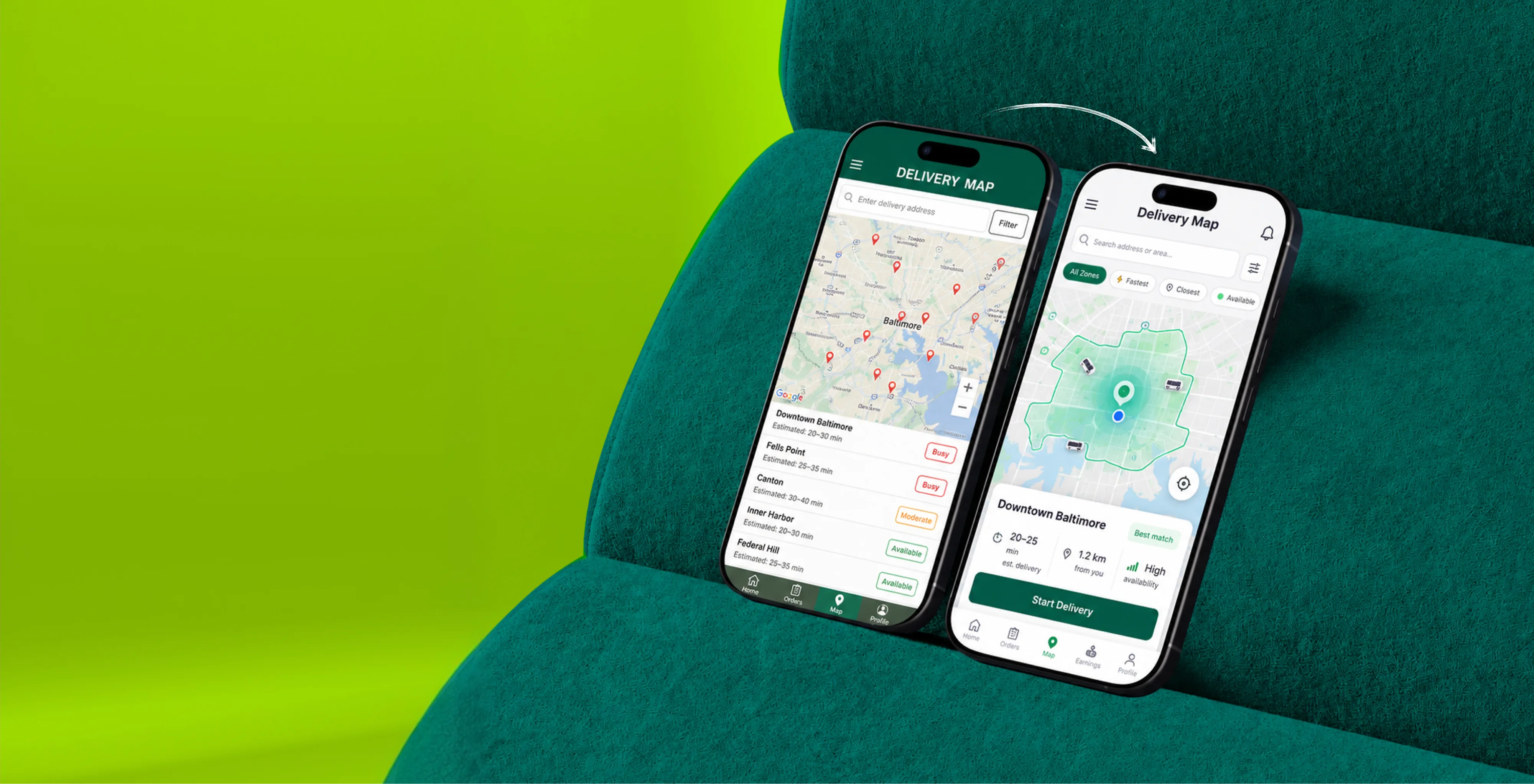
The UX design process starts with analytics the current site has been recording all along. Brand Vision audits how visitors move, where they hesitate, and where they leave, then rebuilds the information architecture, layouts, and forms against those findings. Every change has a stated reason and a metric it is expected to move. It is the stage of website redesign services where a rebuild stops being cosmetic and starts paying back the investment.

Brand Vision treats replatforming as its own discipline inside website redesign services, because changing systems carries different risks than changing design. We document every function the current platform performs, from forms and integrations to editor workflows, and confirm each has a home on the new stack before the move is scheduled. Content, data, and redirects transfer on a tested plan, and the team keeps every editing right it had, plus the ones the old platform never offered.

Brand Vision runs search protection as a formal workstream inside every rebuild, because rankings are the asset a redesign most often destroys. Every URL is inventoried, and every redirect is mapped one to one. Pages with real traffic keep their structure unless the data argues for change. We benchmark rankings before launch and monitor them daily after. Website redesign services should leave a site more visible than they found it, never less.

Content moves on an inventory, not an export. Brand Vision records every page, post, and asset with its traffic, rankings, and conversions, then assigns each a decision. Keep, improve, consolidate, or retire. High-value pages move with structure and metadata intact, and we rebuild internal links so no page is stranded. Nothing about it shows in the design reveal, yet this part of website redesign services decides whether the new site opens with the old one's momentum.
One website redesign process, built to protect what works and fix what doesn't.
We audit the current site's traffic, rankings, and UX first, mapping exactly what to keep, fix, and rebuild.
We redesign the experience and visuals around how your audience actually decides, tested against the current site's data rather than guesswork.
We rebuild on the right platform and move content, data, and URLs on a tested migration plan, so nothing is lost.
We launch with rankings benchmarked and every redirect mapped, then monitor daily so the new site keeps the old one's momentum.
A selection of website redesign services delivered for established businesses and corporations across North America.
Redesign risk differs by industry. A store cannot pause revenue for a rebuild. A clinic cannot lose the pages patients search for. A B2B firm cannot break the URLs its proposals cite. Brand Vision scopes website redesign services around the constraint that matters most in each category, and sequences the rebuild so the business keeps operating.












Product depth shouldn’t slow the story down. We partner with SaaS, platform, and enterprise software teams to translate technical capability into focused narratives. Clear paths to demo, trial, or contact serve both buyers and technical evaluators. Systems are built for product-led growth with composable components, editor guardrails, and instrumented analytics that tie directly to pipeline.
Complex services sell on clarity, not volume. We help consulting, financial, and advisory firms structure their digital presence around buyer tasks: understanding capabilities, comparing options, and starting a brief. Every touchpoint earns trust through specificity and proof. Content is organized by audience need, so the people making the hiring decision find answers quickly and move to contact without friction.
Patients and practitioners make high-stakes decisions under pressure. We design trust-first experiences for healthcare and wellness brands, keeping clinical accuracy intact while making it simple for people to find the right provider, service, or next step. Accessibility, privacy-compliant forms, and plain-language content are standard. Local visibility for practices and clinics is built into the foundation, not bolted on later.
Prospective clients searching for legal help are often under pressure and comparing firms quickly. We help law firms present practice areas with credibility, surface the right contact paths, and build a digital presence that earns trust before the first conversation. Clear structure, plain language, attorney profiles, and consultation flows make it easy for people to take the next step with confidence. Ethical advertising compliance is built in from the start.
Buyers, investors, and project owners move on trust and timing. We work with brokerages, developers, general contractors, and property management firms to present listings, projects, and capabilities with clarity. Content is organized around what prospects actually need: proof of work, service scope, location context, and a direct path to inquire. Pre-construction launches and trade portfolios get the same strategic rigor as resale platforms.
Conversion lives in the details. We work with consumer and ecommerce brands to build fast, clear shopping experiences where product pages explain value quickly, checkout flows reduce friction, and the entire system scales with the catalog. Promotional templates, collection architecture, and performance monitoring keep the storefront sharp as demand and inventory shift with seasons. The result is a store your team can run day to day without developer dependency.
Early-stage companies need focus over flash. We help startups define positioning, build a credible identity, and launch a conversion-ready presence that clearly communicates what the product does, who it’s for, and how to get started. Everything is built to scale: component systems, content structures, and analytics foundations grow with the roadmap instead of needing a rebuild at Series A. The pitch and the website tell the same story.
Students, parents, and administrators all need different answers from the same site. We help schools, universities, and training organizations structure digital experiences by task: apply, visit, inquire, enroll. Accessible design and plain-language content serve diverse audiences without alienating any of them. A manageable CMS means internal teams keep program pages, event listings, and admissions information current without outside help or bottlenecks.
Nonprofits compete for attention, funding, and volunteers simultaneously. We build accessible digital experiences that make programs clear, donation paths intuitive, and calls to action specific enough to drive real participation and support. Content governance is designed for lean teams, so pages, campaigns, and impact reports stay current without bottlenecks. The organizations doing the most important work deserve a digital presence that matches their mission.
From restaurants to packaged goods, this industry sells on quality and convenience. We help food and beverage brands connect story with logistics: clear menus, product lines, ordering options, and wholesale paths that make it obvious how to buy and reorder. Identity and digital experience work in tandem so visitors see quality and know exactly what to do next, whether they’re a consumer walking in or a distributor placing a first order.
Audiences decide in seconds. We work with labels, venues, talent agencies, and event companies to build media-rich, performance-optimized experiences where the work is front and center. Booking, inquiry, and ticket paths stay visible and fast across devices. Campaign templates and component systems let teams launch content for new shows, releases, and events without starting from scratch each time. The creative comes first; the infrastructure stays invisible.
Guests research and book across multiple touchpoints. We help hotels, resorts, tourism brands, and event venues present their experience with clarity, connecting visual storytelling with practical booking flows, local discovery, and seasonal content that stays current. The systems we build make it straightforward for teams to update rates, packages, and promotions without depending on a developer for every change. The experience starts online, and it should feel as considered as the stay itself.














Original research and expert perspective on design, branding, and the strategy behind both.
Still have questions? Contact us to discuss.
A website redesign agency rebuilds a site that already has traffic, rankings, content, and customers depending on it, which is a different job from building one from nothing. The design is the visible part. The risk sits in everything being carried across.
The honest framing. A new site is a blank page with no obligations. A redesign inherits ten years of URLs, a content library with real search value, integrations the sales team relies on, and a set of habits inside the business. Most rebuilds that go wrong did not go wrong in design review. They went wrong in the handover between the old system and the new one.
The job is mostly inventory, mapping, and verification. Every address the old site answers on, every function the current platform performs, every integration with a credential attached, and every page carrying a link from somewhere else. None of that appears in a design review and all of it decides whether launch week is quiet. A rebuild that skipped it looks finished on the day and starts producing dead links, missing form submissions, and unexplained ranking drops in the second week.
Why clients bring the rebuild to us.
We plan the move before we design the pages. URLs, content, data, and integrations get inventoried and mapped at the start, so the design is made against what actually has to survive the move.
Search protection is a workstream and not a checklist item. Rankings are the asset a redesign most often destroys, so redirects, structure, and benchmarks are handled by the people who do technical SEO and not tacked onto a launch day.
300+ websites designed and launched. Enough rebuilds behind us to know which of the fifty small decisions in a migration are the three that matter.
Every change carries a reason. A redesign that only looks newer is expensive decoration. Layout, navigation, and form changes come out of what the current site's own analytics already show.
Fifteen years of web design experience behind that, and 250+ verified five-star reviews from the businesses on the other side of it. You can look through recent rebuilds and the team who runs them before anything gets scoped.
Five workstreams, run in a fixed order, because each one constrains the next. Skipping any of them is where the horror stories come from.
Website redesign audit. The current site measured against the competitors outranking it and the messaging winning the category. The output is a ranked list of priorities with the business case attached to each. It sets the scope of everything after it and holds its own value if the rebuild gets postponed a quarter.
UX overhaul. The information architecture, page layouts, and forms rebuilt against how visitors actually move through the current site. Every change has a stated reason and a number it is meant to move.
Replatforming. Treated as its own discipline, because changing systems carries risks a design change does not. Every function the current platform performs gets documented and given a confirmed home on the new stack before a move is scheduled.
SEO migration and setup. Every URL inventoried, every redirect mapped one to one, high-traffic page structures preserved unless the data argues otherwise, rankings benchmarked before launch and monitored daily after.
Content migration. An inventory instead of an export. Every page, post, and asset catalogued with its traffic, rankings, and conversions, then assigned a decision, with internal links rebuilt so nothing ends up stranded.
Why the order is fixed. The audit decides the scope, so it cannot come second. Architecture has to be settled before layouts, because a template drawn against the wrong structure gets drawn twice. The platform decision constrains what the build can do, so it lands before the build and not during it. And the content inventory has to exist before redirects can be mapped, since you cannot redirect an address nobody has found yet. Run out of sequence, each of those turns into rework somebody pays for.
Around those sit the parts most redesigns need anyway. Visual design and any identity work the rebuild exposes, accessibility brought to standard while the code is open, analytics rebuilt so the new site is comparable to the old one, and the development itself. Where a rebuild turns out to be a positioning problem wearing a design brief, we say that before the design phase and not during it.
Look at whether the problem is what the site looks like or what the site is built on, because those have very different price tags. Plenty of businesses arrive asking for a rebuild and leave with a smaller job.
Signals a refresh will do. The structure works and the pages convert reasonably, but the visuals have aged. The brand moved and the site did not, which is a design and copy exercise on top of a sound foundation. Two or three templates carry most of the traffic and they are the ones that look tired. Your team can edit the site without asking anybody for help. In those cases we would rather scope a targeted piece of design work than sell a rebuild.
Signals a full rebuild is the cheaper answer over three years. Every new page needs a developer. The platform is a version or two behind and updating it breaks layouts. Mobile behaviour gets patched instead of designed. Page speed problems trace to the theme and the plugin stack instead of to images. Your forms and your CRM are held together by something one person understands. Accessibility fails at a level that cannot be patched at the template layer. Or the content structure has no way to express what the business now sells, which is the one nobody notices until they try to add a service line.
Then there is the case that looks like a redesign and is not. If traffic is flat, the visitors who arrive convert fine, and nothing is broken, the problem is usually demand rather than design, and a rebuild will not create it. That is a content and search conversation. Equally, if the site performs and the objection is that leadership is bored of it, we will say so.
An audit settles the argument with evidence in a couple of weeks, and it costs a fraction of the rebuild it either justifies or prevents. Where the questions are mostly about how the current experience performs, a UX audit answers them on its own.
A focused rebuild of a mid-sized site runs eight to fourteen weeks. A large site with a platform change, real content volume, and multiple stakeholder groups runs four to seven months. Design is rarely the long pole.
Audit and discovery. Two to three weeks. A full crawl and technical review, analytics, competitor comparison, URL and content inventory, integration list, and the ranked priorities that scope the rest.
Architecture and UX. Two to four weeks. Sitemap, templates, key page structures, and forms, signed off before any visual design starts.
Visual design. Three to five weeks, running on the template set instead of on individual pages, which is what keeps a large site from turning into a hundred bespoke layouts.
Build and migration. Four to eight weeks, overlapping design. This is where content moves, redirects get written and tested, integrations get rebuilt, and the redirect map gets run against the live URL list before anybody talks about a launch date.
Launch and the weeks after. Cutover, then daily monitoring of crawl errors, redirect behaviour, rankings, and form submissions for the first month. That month is part of the project and not a separate line, because the problems a migration creates surface in the first three weeks or not at all.
What moves the number. Page count, and more precisely template count, since forty pages on six templates is a smaller job than fifteen pages on fifteen. Whether the platform changes. How much content needs rewriting instead of moving. The number of integrations, because a booking engine, an ERP feed, or a custom quote tool each carry their own scope. Language versions. Accessibility, since WCAG 2.1 AA is the standard most accessibility rules now point at, and bringing a site up to it from a long way below is remediation work with its own hours attached and not a check at the end. And how many people have approval, which is the most reliable predictor of a timeline slipping.
Two things worth knowing before you budget. Content is the most common cause of delay by a wide margin, so if copy is coming from your side, that schedule is the real schedule. And a rebuild with no maintenance plan starts decaying in month four, which is why we scope where the site goes afterward as part of the engagement instead of leaving it as an afterthought.
A redesign is the single most common way a business loses organic traffic, and nearly every case traces to one of six mistakes. All six are preventable, and we treat them as a formal workstream instead of a launch-day checklist.
Where rankings actually go.
Redirects that were never mapped. Old URLs return 404s, or everything gets pointed at the homepage, which passes almost nothing and looks to a search engine like the pages stopped existing. Every URL gets a one-to-one destination, and chains get flattened so no redirect points at another redirect.
URLs nobody knew about. A sitemap does not contain your full inventory. We pull from the sitemap, the crawl, server logs, Search Console, analytics, and the backlink profile, because a page with external links pointing at it is worth protecting even if it gets no traffic.
Page structures rewritten for no reason. Titles, headings, and body content on pages that already rank get preserved unless the evidence says otherwise. Redesigning a page that works is a decision, and it needs to be made deliberately.
Staging settings left in place. A launch that ships with a noindex tag or a blocked robots file is the fastest catastrophic outcome available, and it happens to real companies every month. It is a specific line on the launch checklist and it gets verified after cutover, not before.
Technical regressions. Slower loading, layout shift, broken structured data, missing canonicals, and lost hreflang all cost visibility. We benchmark Core Web Vitals before and hold the rebuild to the thresholds, meaning largest contentful paint under two and a half seconds, interaction latency under two hundred milliseconds, and layout shift under a tenth.
Internal links that vanish. Navigation and body links carry signals, and a new site with a tidier menu often quietly orphans a hundred pages.
Now the honest part. Even a clean migration can show two to six weeks of fluctuation while search engines recrawl and reassess. We tell you that in advance, we benchmark rankings and traffic before launch so the comparison is real, and we monitor daily afterward. If something drops, the redirect map and the crawl data tell us why within hours. Where a site's visibility problems predate the rebuild, that is search work in its own right, and increasingly it also means checking what AI assistants say about the business, since those answers get assembled from sources a rebuild does not touch.
The platform question gets answered by who edits the site and what it has to connect to, not by which system is fashionable. Answer those two honestly and the shortlist usually writes itself.
What we ask first. Who publishes, and how technical are they. How often does the site change. What has to integrate, meaning CRM, marketing automation, booking, inventory, ERP, payment. Are there language versions. Does anything about the business require self-hosting or a specific data location. And what is the appetite for maintenance, since some stacks trade lower build cost for permanent upkeep.
Then the shortlist. Webflow suits marketing sites where a non-technical team publishes often and design control matters. WordPress suits large content libraries, complex editorial roles, and cases where a specific plugin ecosystem is doing real work, with the understanding that it needs actual maintenance. Shopify suits stores where checkout reliability outweighs layout freedom, and WooCommerce suits stores that need to sit inside an existing content site or handle unusual product logic. Headless setups solve real problems for a small number of businesses and create permanent developer dependency for everybody else, so we only recommend one when the requirement is genuinely there.
Replatforming itself is a documentation exercise before it is a build. We list every function the current platform performs, including the unglamorous ones. Form handling and where submissions go. Every integration and its authentication. Editor roles and permissions. Scheduled publishing, redirects already in place, gated content, search, and any custom field somebody built in 2019 that a landing page still reads from. Each item gets a confirmed home on the new stack before a move gets scheduled, because discovering a missing function during launch week is how launch weeks become launch months.
Two rules we hold to. Your team keeps every editing right it had, plus the ones the old platform never gave you. And you own the accounts, the code, and the domain, not us. Where a build needs custom functionality beyond what a platform offers, that is development work scoped separately so you can see what it costs.
Content moves on an inventory, and the inventory starts with what each page is worth. An export moves everything including the material that has been hurting you for years.
Every page, post, and asset gets catalogued with its organic traffic, ranking keywords, conversions, inbound links, and last meaningful update. Then each one gets one of four decisions.
Keep. It performs, so it moves with its URL, structure, headings, and metadata intact. The temptation to tidy the URL is where trouble starts, so keeping it is the default.
Improve. The topic earns attention and the page underdelivers. It moves and gets rewritten, usually the highest-return content work in a rebuild because the demand is already proven.
Consolidate. Four thin pages competing for the same query become one strong page, with the other three redirected into it. This is the single most common finding in a content audit of an older site and it usually lifts the survivor.
Retire. No traffic, no links, no conversions, no strategic purpose. It goes, and it gets redirected somewhere genuinely relevant instead of the homepage.
A typical mid-sized site with 400 pages ends up somewhere near half kept, a fifth improved, a fifth consolidated, and a tenth retired. Seeing that split is often the moment a leadership team realizes the rebuild is a content project with a design phase attached.
Two things get rebuilt alongside the pages. Internal links, since consolidating and retiring pages breaks the links pointing at them and a broken internal link structure quietly strands the pages you kept. And the media library, which on most older sites is carrying thousands of unused files and oversized images that have been slowing the site down for years.
There is also a freeze to plan for. Content edits pause for a short window during the move so the two versions do not diverge, and we schedule that window with your team instead of announcing it. Where the inventory shows the real problem is coverage rather than presentation, the finding routes into content strategy work after launch, and where the writing itself is the gap, we scope it honestly instead of moving weak pages across and calling it done.
The current site has been recording the answer the whole time, so a UX overhaul starts by reading it instead of guessing. Behavioural data from a site with traffic is more useful than any opinion in a workshop, including ours.
What we read before touching a layout. Where visitors enter, since a homepage-first assumption is wrong on most content sites. The paths they take and the ones we expected them to take. Where they scroll to and where they stop. Which pages carry high exits without completing anything. Form analytics, field by field, because abandonment usually concentrates in one or two questions. Site search queries, which are visitors typing what they could not find. Device splits, since a layout that works on desktop and fails on a mid-range phone is common and easy to miss. And where the sales team says people get confused, which is qualitative and still evidence.
Then every proposed change gets a reason and a metric attached. Shorter form because three fields drive most of the abandonment, expected to raise completion. Reworked service navigation because visitors are using site search to find pages that exist, expected to reduce that search volume. Restructured pricing page because the average visitor leaves before the answer appears, expected to lift depth and enquiries. A change with no metric attached is a preference, and preferences are fine as long as they are labelled as such.
Where the data runs out, we say so. A new page type with no history has no baseline, so it gets designed on established patterns and tested after launch. Where the stakes justify it we run UX research with real users before the build, which is faster than launching and learning. And on a site with enough traffic, some decisions are better settled by testing after launch than argued about in a review meeting.
The uncomfortable truth about before-and-after comparisons is that a redesign changes many variables at once, so attributing a lift to one change is usually dishonest. What we can do is instrument each change so the direction is visible, and be clear about which improvements are measurable and which are structural. A deeper diagnostic on the current experience is a UX audit, and it can run ahead of the rebuild or on its own.
The old site keeps running until the new one is proven, and the cutover is planned around your operating calendar instead of ours. What counts as disruption differs by business, so the sequence gets shaped around the constraint that actually matters.
A store cannot pause revenue. Product and category URLs get preserved, variants and reviews move with their pages, customer accounts and order history survive the transfer, and checkout gets tested as its own workstream because it is the one place a bug costs money by the hour. Launches get scheduled away from peak trading, which for most retailers rules out the fourth quarter entirely.
A clinic or practice cannot lose the pages patients search for. Location and service pages keep their URLs and structure, booking and intake flows get tested against real submissions before cutover, and anything the local search presence depends on gets verified after launch rather than assumed.
A B2B firm cannot break the URLs its proposals and sales decks cite. Those get inventoried specifically, including gated assets and anything linked from an email sequence or a document sent last year, since a dead link in a live proposal is a credibility problem more than a traffic one.
A lead-generation business cannot lose form submissions. Every form gets tested end to end into the CRM after launch, with a real submission watched through to the record, because a broken form is invisible from the outside and expensive in silence.
The mechanics that make cutover boring. A staging environment that mirrors production, locked so it cannot be indexed. The redirect map tested against the live URL list before launch and rerun immediately after. Time to live on DNS lowered ahead of the switch so propagation is quick. Certificates, caching, and CDN handled in advance and not during. A short content freeze. A rollback plan, which we have rarely needed and always have. And a launch window chosen when your team is available, which is not five o'clock on a Friday.
Where a rebuild is large enough, we ship in stages by section instead of all at once. It is slower and it reduces the blast radius, and for some businesses that trade is obviously correct. Which constraint governs the plan depends on the category, and we scope against the standards of your industry instead of a general template.
You own all of it, and your team should be able to run the site without calling us. A rebuild that leaves a business dependent on its agency for routine edits was built wrong.
Ownership, stated plainly. The domain, the hosting, the platform account, the code, the design files, and the analytics properties are yours and stay in your name. We work inside your accounts wherever possible so nothing needs untangling later. If you leave, nothing is held.
Editing rights. Every role the old platform gave you carries over, and usually more. Page building from a component library so new pages look right by default. Reusable sections. Editable metadata and structured data fields without touching code. Draft, review, and scheduled publishing. Permissions that let a marketing coordinator publish a blog post without being able to break a template, which is the distinction most CMS setups get wrong in one direction or the other.
Handover, which is where rebuilds get abandoned. Recorded walkthroughs of the site's actual components instead of generic platform tutorials. A written guide covering how to add each page type. Live training with the people who will use it. A defined support window after launch for the questions that only appear once real work starts.
Then aftercare, and there are three honest options. Your team runs it with the training and documentation and we are available when needed. We handle updates, backups, security, performance, and accessibility monitoring on a maintenance arrangement. Or the site becomes part of an ongoing program where design, search, and content improvements keep compounding after launch. Most clients start with the second and grow into the third.
What decays without a plan. Platform and plugin versions, page speed as pages get added, accessibility as new content arrives, and internal linking as the library grows. None of that requires a large retainer, but it does require somebody's name against it. If nobody in the business owns the site after launch, say that out loud during scoping so the arrangement gets built around it. And if what you really need is a wider view of where the site sits in the marketing picture, that is a consultation and not a rebuild.
Four things from your side, and one of them causes most of the delays in this industry. Being candid about capacity at kickoff is worth more than optimism.
What we need. Access, meaning the platform, hosting, DNS, analytics, Search Console, tag manager, and any integration credentials, gathered early because chasing a login from a former employee is a genuine schedule risk. Decisions, meaning a named person who can approve without a committee. Content, meaning copy, images, product information, and anything legal has to clear. And your subject expertise, because nobody outside the business can describe what it does as accurately as the people doing it.
Four things slow rebuilds down, in order of frequency.
The version of this that goes well looks like a weekly working session, one person who can decide, a content plan with dates against it, and a launch target with a small buffer. Where the brand itself is unresolved and the rebuild keeps stalling on what to say, the honest answer is that it is a positioning problem and no amount of design review will settle it. That case sometimes points at a rebrand before a build, and we would rather tell you in week one.
By capturing the baseline before anything changes, because after launch it is too late to know what you had. Half the redesigns in the world cannot be evaluated for exactly that reason.
What gets recorded before cutover. Organic traffic and rankings by page, conversion rate by template and by device, form completion rates field by field, top entry pages and their behaviour, page speed and Core Web Vitals, revenue or enquiry volume by channel, and the analytics configuration itself so events are comparable across the move. That last one is quietly important. A rebuild that ships with a fresh analytics setup and no mapping to the old one produces a site nobody can measure against its predecessor, and the old data does not come back.
Then the reporting runs in windows, because different things move at different speeds.
The first two weeks are technical health. Crawl errors, redirect behaviour, indexation, broken links, form submissions landing correctly, and no unexpected drop in tracked events. Nothing here is about success. It is about confirming nothing is quietly broken.
Weeks two to six are stabilization. Rankings recover from migration fluctuation and page-level behaviour becomes readable. Engagement signals are usable in this window. Search performance is not settled yet, and we will not present it as if it is.
Months two and three are performance. Conversion rate against the recorded baseline, template by template. Organic visibility compared to the benchmark. Enquiry or revenue volume, with the seasonality and any paid spend changes noted alongside, since a rebuild that launched into a strong quarter can flatter itself easily.
Beyond that it becomes ordinary reporting, and the useful question stops being whether the redesign worked and becomes what to improve next. That is what the audit backlog is for, since a ranked list of priorities never gets fully built in one phase and the leftovers are usually the best return available in the following two quarters.
One thing we will not do is claim causation from a coincidence. If organic enquiries rise 40 percent in a quarter where the rebuild launched and a competitor exited the market, we say both. Reporting that only ever confirms our own work is not reporting. Where the next gains are clearly outside the site itself, we point at search and marketing work instead of proposing another build, and the fastest way to see how that has gone for other businesses is the case studies.

Our goal is to nurture your vision and provide innovative, custom solutions for all your marketing needs.


%2520(1).png)
.png)