
Let’s face it: tax season can feel like stepping into a maze of forms, deadlines, and endless numbers. The challenge grows if you juggle side hustles, multiple income streams, or self-employment. Yet you don’t have to wade through it all alone. A new generation of personal finance apps offers sophisticated tax-tracking and calculation features, giving you clarity without drowning in spreadsheets and helping you keep key documents like receipts and pay stubs organized.. Below, we’ll dive into the best apps for taxes—Quicken, Simplifi, FlyFin, Expensify, and Hurdlr—showing how each tool can help you tame your tax obligations, keep track of day-to-day expenses, and possibly even discover hidden savings. If you’ve been yearning for a simpler approach to the annual tax puzzle, read on and find the app that aligns with your style.
1. Quicken: The Classic Reimagined
When you think “personal finance software,” there’s a decent chance Quicken flashes to mind. An industry pillar for decades, Quicken has evolved from a checkbook-balancing platform into a robust app capable of tax categorization and expense reporting. For people who grew up with Quicken or prefer a familiar system, this is like a comfortable old sweater—yet it’s updated with modern functionalities.
Key Tax Features
- Tax Report Generation: Quicken automatically classifies your transactions (groceries, gas, subscriptions) and puts them in relevant expense categories. When tax time rolls around, you can produce a summarized version of all those transactions.
- Projected Tax Liability: By feeding it consistent, up-to-date data, Quicken can estimate how much you might owe, preventing end-of-year sticker shocks.
Why You’ll Love It
- All-in-One Budgeting: Quicken doesn’t just tackle taxes—it covers budgeting, investment tracking, bill management, and more.
- Easy Integrations: Link your bank accounts, credit cards, and even retirement accounts, letting Quicken handle daily synchronization.
For small business owners who mix personal and business finances, Quicken can separate those transactions neatly, though you might prefer more specialized solutions if your business is complex. Still, for a single-person setup or a side hustle, Quicken stands as a tried-and-true friend.
2. Simplifi: Clean, Contemporary, and User-Friendly
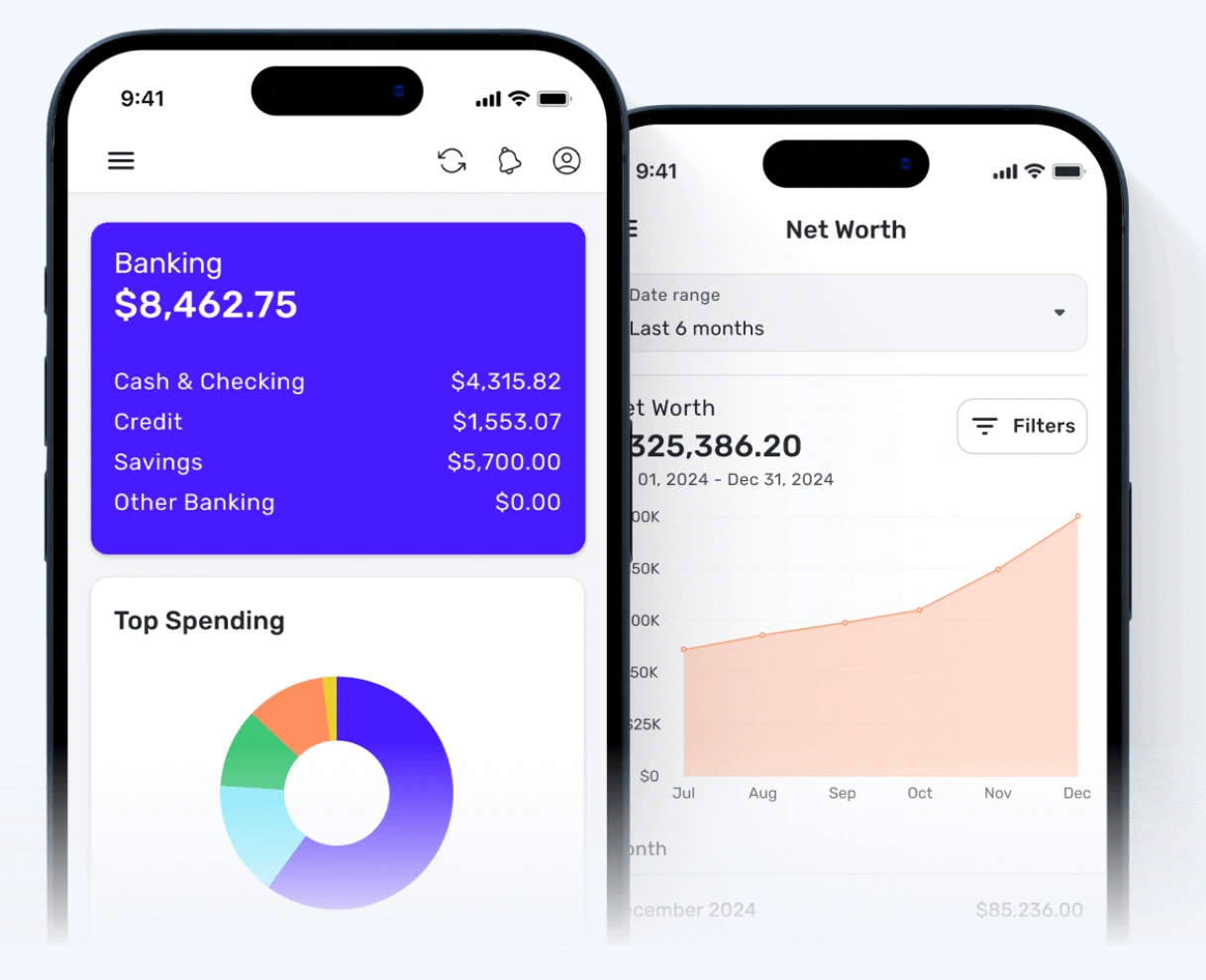
Simplifi is Quicken’s younger, more modern sibling—an app that emphasizes streamlined, mobile-first design. Created by the same parent company (Quicken Inc.), Simplifi distills the complexities of tracking income, expenses, and tax details into an approachable interface that even novices find inviting. If Quicken feels a bit old-school, Simplifi might be your style upgrade.
Key Tax Features
- Real-Time Transaction Sorting: Every time you swipe your card, Simplifi logs the expense in the correct category, from office supplies to utility bills. That helps with year-end tax calculations for deductibles.
- Custom Alerts: The app can alert you when you hit thresholds in specific categories, like business travel, helping you gauge potential deductions.
Why You’ll Love It
- Sleek Interface: The design suits busy professionals who want to glance at the app, see quick insights, and move on.
- Goal Tracking: If you’re saving for bigger tax payments or planning for quarterly dues, Simplifi’s goal tools keep you on track.
Simplifi is less robust than Quicken in certain advanced financial aspects, but it perfectly suits gig workers and individuals wanting a minimalist approach to tax-time readiness. If your main worry is merging daily finances with intuitive tax preparation, Simplifi’s polished vibe ticks that box.
3. FlyFin: AI-Powered Tax Magic
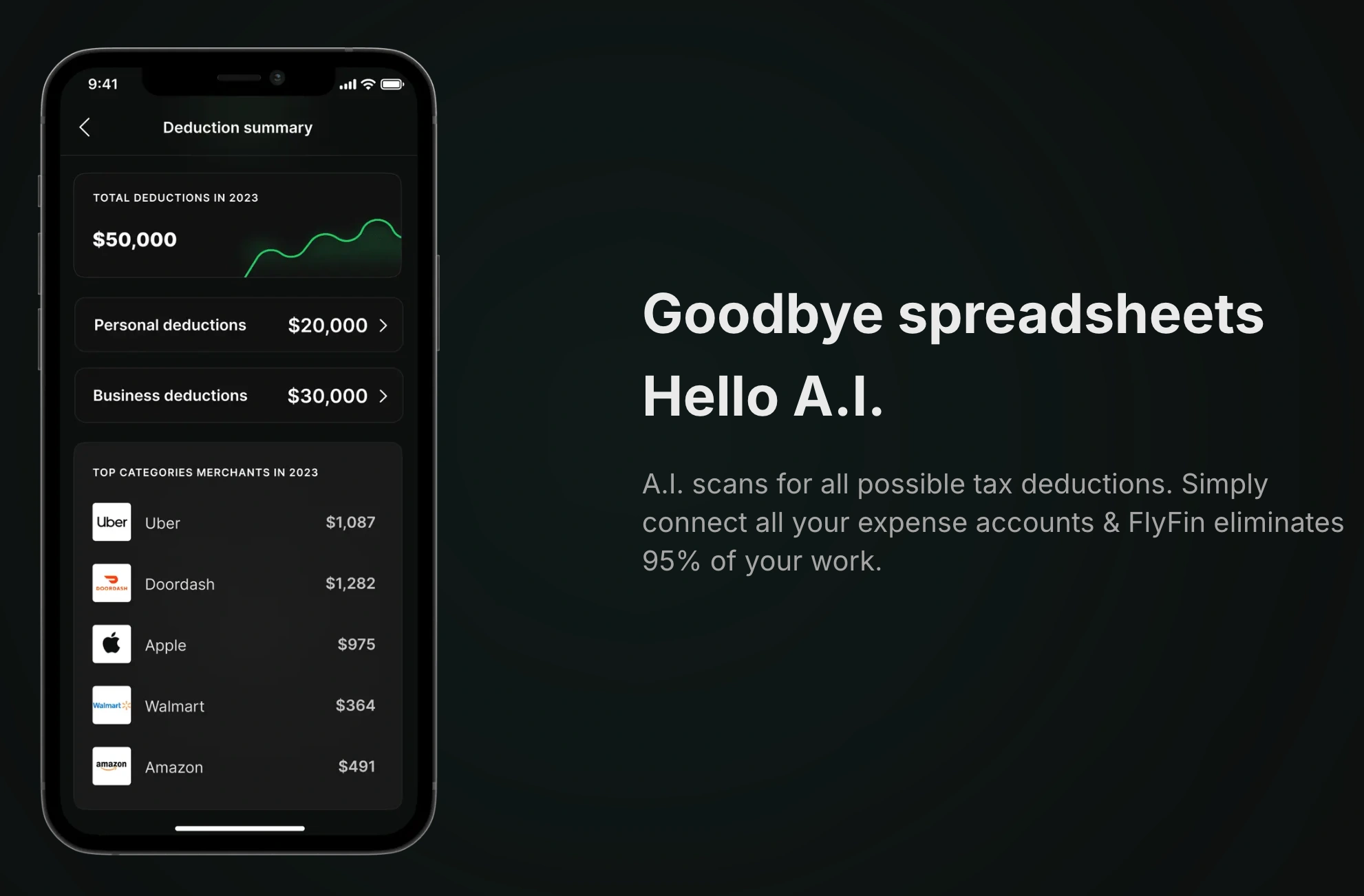
For those who cringe at math or who shift between multiple freelance gigs, FlyFin offers an AI-driven approach to personal tax calculations. Touted as a “machine learning accountant in your pocket,” FlyFin works to automatically categorize your expenses, scanning for potential deductions. Over time, it “learns” patterns, improving the accuracy of each classification. This app especially resonates with freelancers, creators, and side hustlers who juggle diverse revenue streams.
Key Tax Features
- AI Expense Categorization: Instead of you manually combing through receipts, FlyFin’s engine does the heavy lifting. Mark an item as a “deductible expense” once, and it’ll remember next time.
- Quarterly Tax Predictions: This is crucial if you pay taxes in quarterly installments, since FlyFin projects how much you should set aside for each period.
Why You’ll Love It
- Automatic Data Fetching: Connect your bank or credit card, and FlyFin sifts through transactions to spot relevant tax write-offs.
- Instant Summaries: Confusion about your tax liability? FlyFin’s real-time dashboard breaks it down, letting you adjust your finances proactively.
While some may find AI-based categorization occasionally misguided, you can correct errors to “train” the algorithm. Over time, FlyFin’s adaptability could slash your tax-season stress, making it simpler to claim legitimate deductions you might otherwise overlook.
4. Expensify: Expense Tracking with a Tax Edge
Expensify is well-known in the corporate world for managing business receipts, expense approvals, and travel reimbursements. However, if you’re a freelancer or small business owner, Expensify can also help you separate personal from professional spending, organizing data so that taxes become less of a guessing game in April.
Key Tax Features
- Smart Receipt Scanning: Snap a photo of a receipt with your phone, and Expensify automatically extracts the merchant, total, and relevant category. This helps you keep a digital paper trail for tax-deductible items.
- Mileage Tracking: If you drive for your business, Expensify logs your miles. Transport costs can be huge for certain gigs, so having that mileage record is gold come tax day.
Why You’ll Love It
- Polished Approvals: If you have a small team, Expensify’s system can quickly approve or reject an expense, ensuring clarity on reimbursable costs.
- Cross-Platform Integration: Exporting data into your favored accounting software or a simple spreadsheet is a breeze.
If your main concern is bridging day-to-day receipts with year-end tax references, Expensify’s scanning and categorizing tools shine. Just keep in mind that advanced personal finance features (like budgeting or forecasting) might be more limited than with Quicken or Simplifi. But for crisp, no-nonsense expense logs, Expensify stands strong.

5. Hurdlr: Designed for Entrepreneurs on the Move
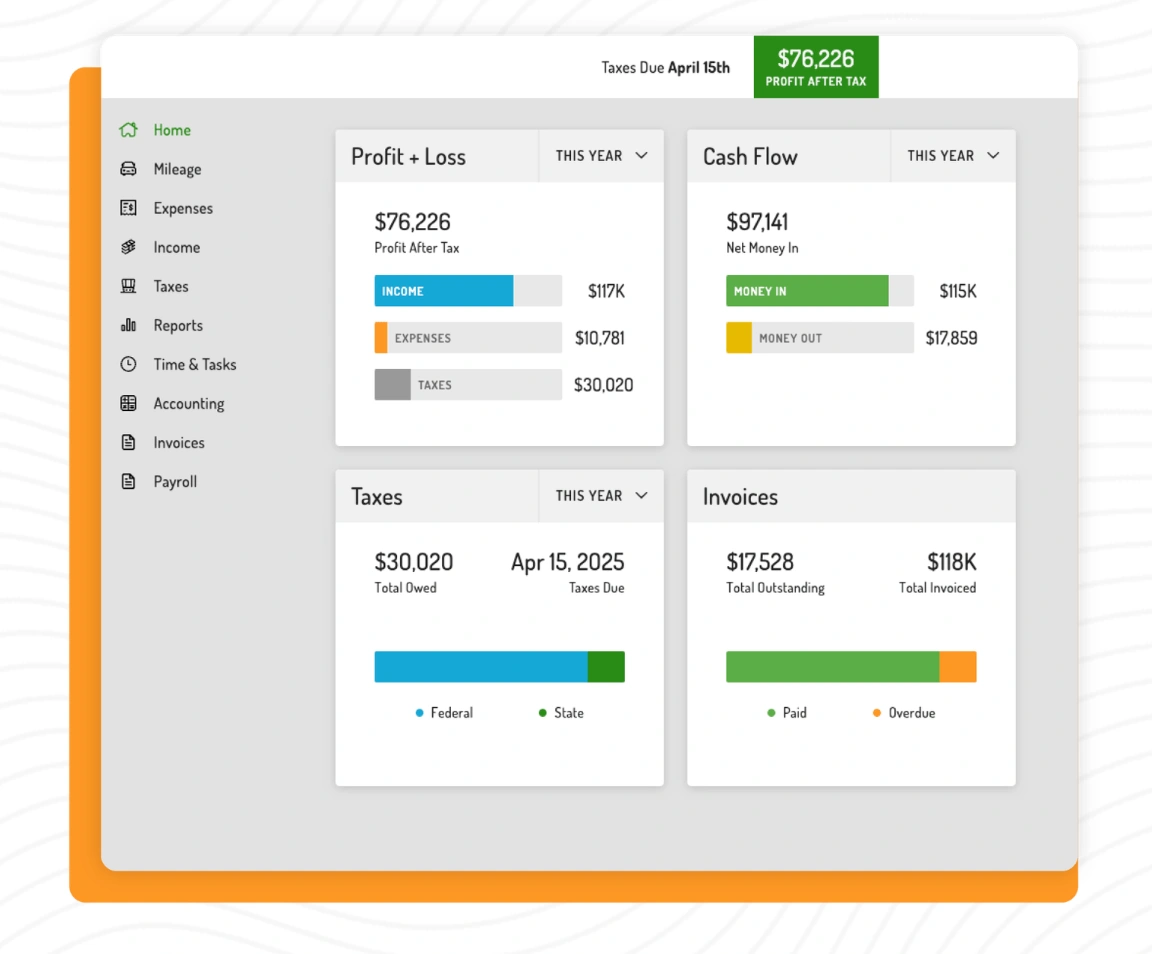
Tired of jumping between separate apps for tracking mileage, invoicing, and tax deductions? Hurdlr tries to unify all these elements under one streamlined umbrella—particularly if you’re a rideshare driver, freelancer, or e-commerce seller. The app automates mileage tracking the moment you get in your vehicle, calculates real-time income and expenses, and keeps an eagle eye on your potential tax obligations. It is also great for streamlining the accounting of your customers.
Key Tax Features
- Automatic Mileage Detection: You don’t have to remember to press “start.” Hurdlr’s background tracking picks up your trips automatically.
- Real-Time Tax Calculations: By analyzing your daily or weekly revenue, Hurdlr estimates your ongoing tax liability, suggesting how much to set aside.
Why You’ll Love It
- All-In-One Approach: Instead of toggling between an accounting tool, a mileage tracker, and a tax calculator, you handle it all in a single place.
- Self-Employment Focus: Hurdlr’s interface resonates with the hustle of gig workers who switch tasks frequently.
Though the app’s primary audience is solo entrepreneurs, bigger or more complex small businesses might find it lacking advanced functionalities. But for a one-person operation wanting to keep a finger on daily earnings and taxes, it nails the mark.
Matching the App to Your Needs
With so many personal tax and finance apps out there, it’s easy to get dazzled—or more confused. So how do you choose?
- Quicken: For a comprehensive suite that also handles investments and robust budgeting—ideal if you crave an all-in-one “legacy” solution.
- Simplifi: If you love a minimalist approach, want clarity in daily budgeting, and appreciate sleek design, this Quicken Inc. spin-off is an appealing upgrade.
- FlyFin: If you juggle multiple freelance gigs or side hustles and want AI-driven expense categorization (especially if you hate data entry), FlyFin’s advanced “learning” might lighten your load.
- Expensify: If you’re big on receipt scanning, mileage logs, and simpler ways to keep personal and business expenses separate.
- Hurdlr: Perfect for “on the go” entrepreneurs—rideshare drivers, traveling consultants, or quick-service freelancers who move constantly.
Pitfalls to Avoid
While these apps can be lifesavers, they’re not magic bullets. Tweak categories if the system mislabels an expense. Update the software with every new revenue stream or gig client. And always verify key numbers before filing official tax returns. Tech helps, but it’s your responsibility to ensure accuracy, especially if you’re claiming major deductions.
- Over-reliance: Don’t let convenience overshadow thoroughness. Double-check crucial data.
- Integration Gaps: If you have an unusual bank or business model, confirm your chosen app syncs seamlessly.
Freed from Tax Stress, Onward to Success
Taxes don’t have to feel like a complicated tangle. By harnessing these top five personal tax calculation apps (Quicken, Simplifi, FlyFin, Expensify, and Hurdlr), you turn a dreaded chore into a manageable, even enlightening, routine. Each option caters to different preferences, from Quicken’s all-encompassing legacy approach to FlyFin’s modern AI flair. The important part is that you pick one (or a combo) that aligns with your daily hustle. After all, the fewer hours you spend on guesswork, the more time you have to grow your business, refine your craft, and enjoy the life you set out to create as an entrepreneur. Let these apps shoulder the tax complexity, so you can focus on thriving, not just surviving, during tax season and beyond.

%2520(1).png)
.png)