Google's 2026 Workspace icon redesign is easy to dismiss as another gradient trend. But the more useful design question is whether the changes make a family of similar-looking apps easier to distinguish. Color, shape, and familiarity all matter at the small sizes where these icons appear. A gradient may contribute, but the system underneath it deserves closer attention.
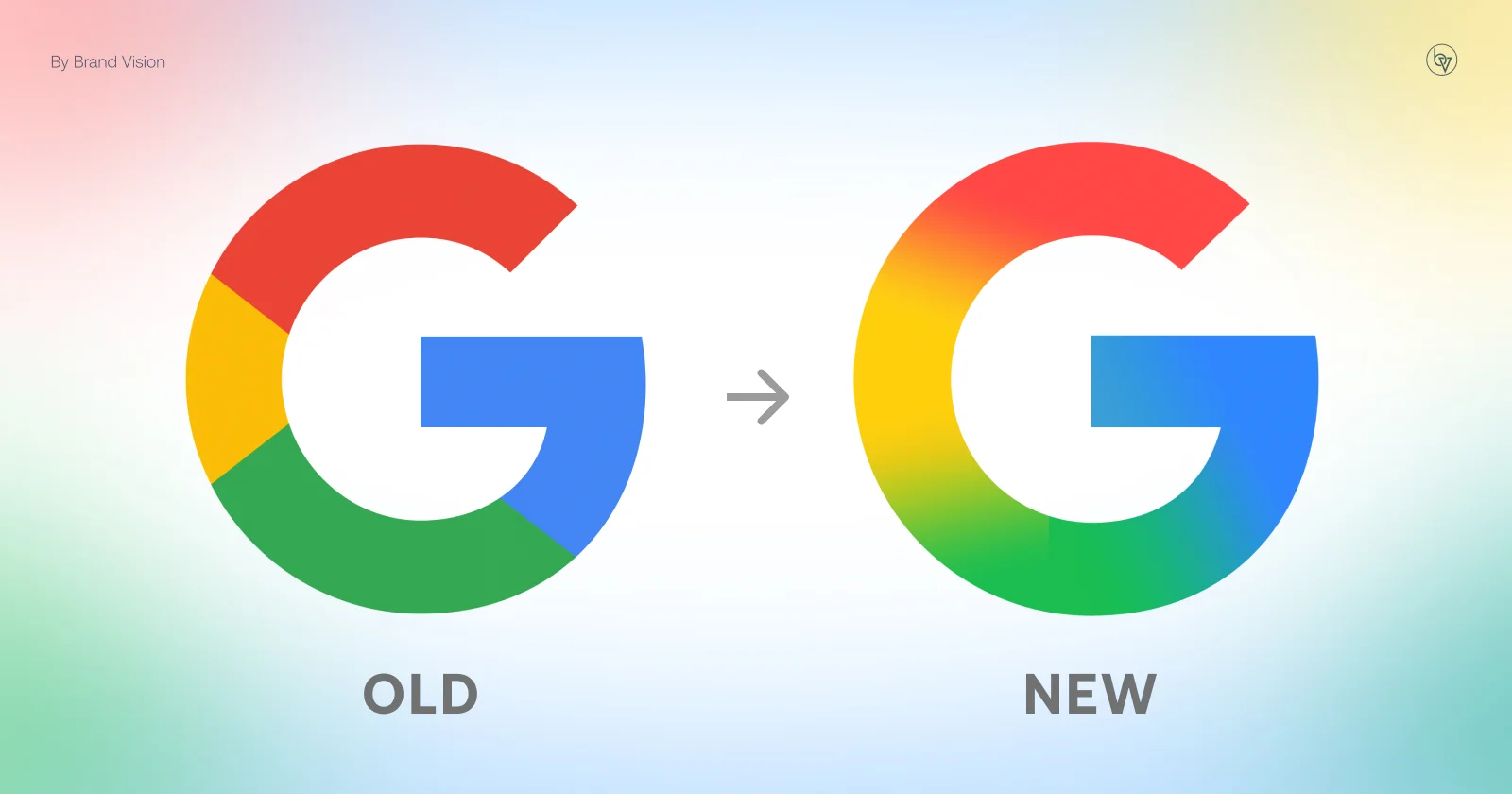
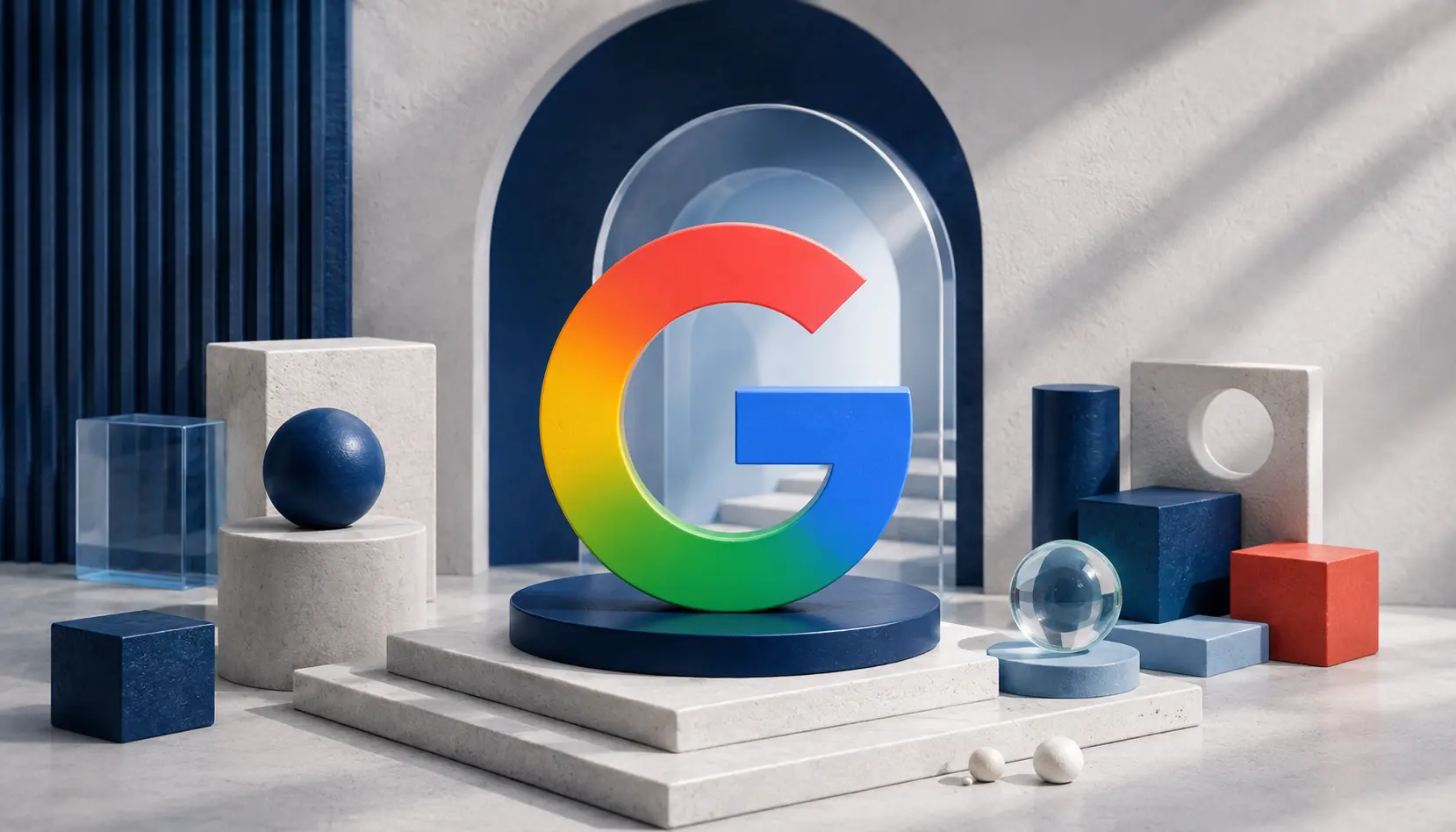
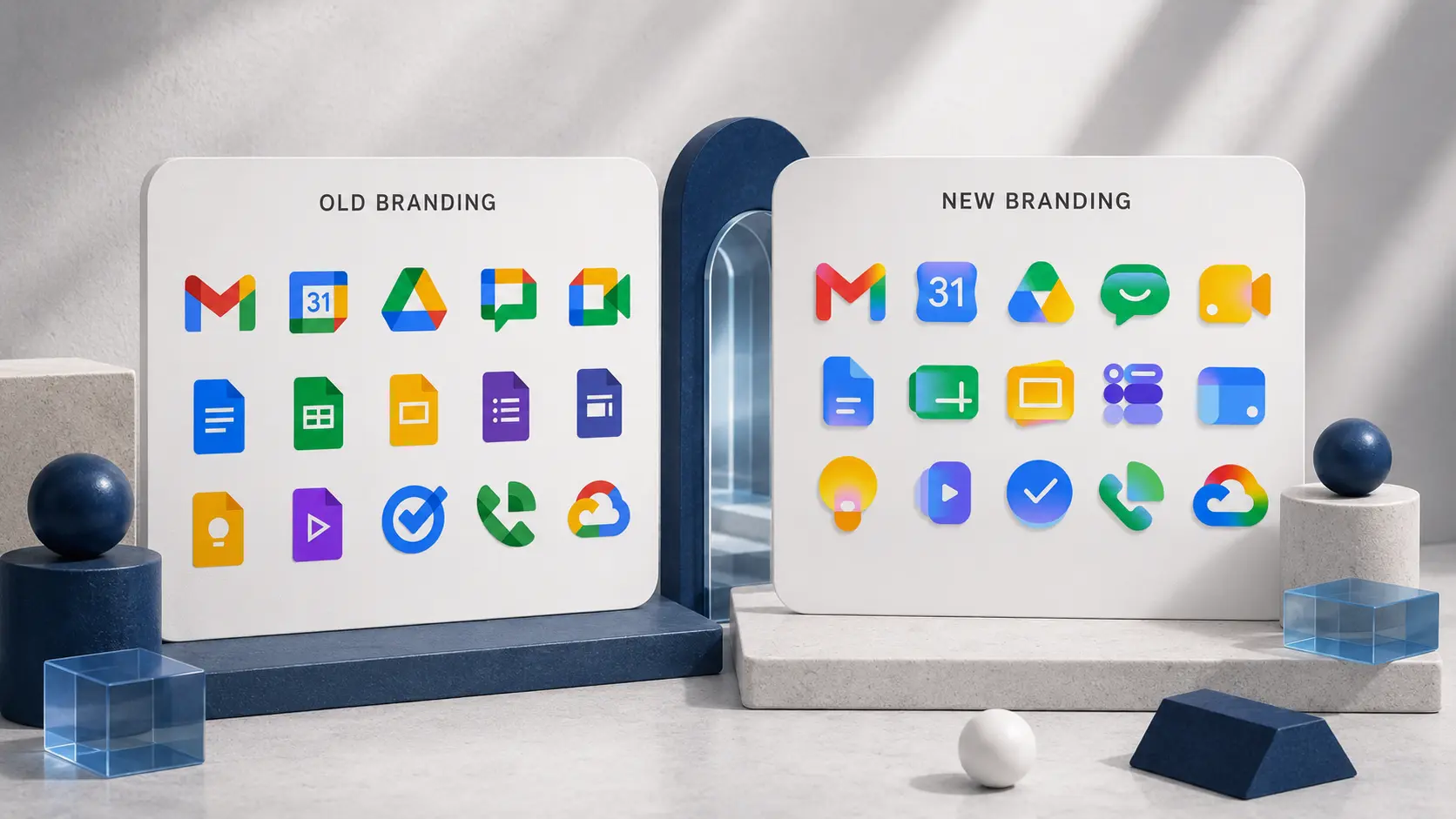
Google's May 26, 2026 Workspace announcement describes a phased icon rollout that began May 19, covering Gmail, Calendar, Chat, Meet, Drive, Docs, Slides, Sheets, Vids, Keep, Forms, Voice, Sites, and Tasks. The refreshed marks introduce softer gradients and more distinct visual identities while retaining a recognizable product family. The change continues a sequence that began with the gradient "G" in May 2025. Google made that symbol its company-wide mark in September 2025 and brought a related treatment to the Gemini spark that June. The Workspace update is another step in that wider visual system, not an isolated new look for Gmail.
For Brand Vision, a branding agency, this rollout is worth examining as a visual-system decision rather than a signal that every company should adopt gradients. Critics have described the style as another form of “blanding,” but the question is whether recognizable product differences survive a shared appearance. The distinction matters because the difference between a visual treatment and the brand system it sits on determines whether a redesign offers more than a fashionable finish.
What Changed in Google’s 2026 Workspace Icons
The structural calls matter more than the color treatment. In visual identity design, the test is whether distinctiveness and consistency can coexist. Three choices stand out in Google's update.
Google relaxed the four-color look.
Earlier Workspace icons frequently used similar arrangements of the same red, yellow, green, and blue. That was a strong family cue, but it could also make the marks feel alike at small sizes. The refreshed system varies color emphasis and gradient treatment between applications so their individual forms have more room to register. It is a design response to a recognizable problem, not proof that users now identify every app faster.
Google changed the containers and silhouettes.
Some previous marks sat within document-shaped or rectangular containers. The refreshed suite uses more varied forms, allowing individual app silhouettes to carry more of the recognition work. That choice can help in a crowded dock or row of tabs, although the benefit should be tested at the sizes and backgrounds where the marks actually appear.
Gmail retains a familiar anchor.
The envelope-shaped “M” remains a strong recognition cue within the redesigned family. Holding onto a familiar form matters when color and visual finish change around it. Brands updating a widely recognized symbol should ask which elements customers already use to identify it before changing everything at once.
Google frames the Workspace update around more distinct app identities and consistent presentation across the suite. Its earlier company-wide gradient “G” announcement connected the visual language to the AI era. Those messages can coexist: one concerns how the products relate to each other; the other concerns the wider meaning the brand wants to convey.
Why Google’s Earlier Workspace Icons Were Hard to Distinguish
This is the strongest argument for Google's approach, and the part a critique focused only on the gradient can miss.
People often recognize familiar app icons through quick visual pattern matching rather than careful reading. When multiple marks use nearly identical palettes and proportions, the distinction may depend heavily on shape. A user scanning a crowded set of tabs could confuse related apps, even if the marks are individually recognizable when seen alone. That is a reasonable usability concern, though it would take testing to establish the degree of confusion.
The revised system gives color more of a differentiating role. Some applications lean on a more recognizable dominant hue while still sharing Google's broad palette and softened gradient treatment. In principle, stronger separation between icons could help recognition. Whether it does so consistently is a question for user testing, not a measurable outcome that can be inferred from the redesign images.
“Blanding” describes the tendency for separate brands to adopt similar, safe visual conventions. Google's challenge is a little different: it is trying to differentiate applications within one family without losing the family resemblance. That is a sound objective, even if individual execution choices remain open to criticism. A shared design language should help users identify the parent brand without making each product indistinguishable.
Do Gradients Signal AI or Just Follow a Technology Trend?
Google has explicitly connected its newer gradient visual language to its AI ambitions. The association is understandable, but it raises a question for brand teams: does the treatment express something distinctive about the product, or merely place it alongside many other AI-adjacent designs?
Bright, luminous gradients have become a familiar part of contemporary technology branding, appearing across AI products and software interfaces. They can suggest movement, experimentation, and digital fluency. For businesses investing in technology marketing, however, that association is only useful when it supports a genuine point of difference. Recognition of a trend is not the same as recognition of a particular brand.
The risk is that a widely adopted treatment eventually stops carrying much information. A gradient alone cannot explain why an app is useful or how it differs from a competitor. Google has enough recognition in its name, products, and shapes to change the finish without relying on that finish as its whole identity. Smaller brands need to be more careful about borrowing a look that audiences already associate with many different products.
Google has substantial brand recognition to draw on. Kantar BrandZ placed the Google brand second worldwide in its 2025 ranking, with an estimated brand value of roughly $944 billion. That is a historical brand valuation, not the company's market capitalization. This resilience comes from years of recognition and repeated experiences, and that kind of recognition is brand equity compounding over years of consistency. A young company that bases its identity almost entirely on a popular gradient has much less to distinguish it if tastes change.
Where the Gradient Design Loses Clarity
The detail worth examining is how the color transitions support, or obscure, the underlying shape. A gradient can add dimension, but it should not make the form harder to understand.
A good gradient still has architecture underneath it. The blend should describe a form, not erase it. The moment every color melts evenly into the next, you lose the form and you are left with a smear of nice colors instead of an object.
Look closely at the new Gmail mark. On the right side of the envelope, the yellow sits cleanly above the green, so your eye reads it as folded, layered planes, and that layering is what gives the icon depth. On the left side, the pink and red sit too close in both hue and value, and they collapse into one another. The distinction between the layers nearly disappears, and the envelope loses some of its dimension.
That small asymmetry illustrates the trade-off. The right side appears more clearly layered, while the left transition has less separation between neighboring colors. App icons are not governed by the WCAG ratios for text contrast, but value differences can still help adjacent planes remain legible. In an identity review, the practical response would be to compare variations at actual icon sizes, on light and dark backgrounds, before deciding that a transition needs adjustment.
Should Your Brand Use a Gradient?
A high-profile redesign does not make gradients mandatory. What is potentially useful in Google's approach is the effort to give each product a recognizable identity while keeping the suite consistent. For a business assessing its branding services needs, the starting point should be the audience, the mark, and the brand system. The gradient is one possible tool, not the strategy itself.
The temptation is especially strong for younger software brands that want to look modern and credible quickly. But a distinctive mark, a repeatable color system, and reliable one-color and small-size versions still come first. Get the fundamentals of the identity right first: establish what must remain recognizable, then test whether a gradient adds depth or differentiates products. If the identity genuinely needs a broader rethink, rebranding services should evaluate the strategic reason for change rather than follow a visual trend. A software company briefing a branding agency in San Francisco, for example, can ask to see icons tested across a product family, at 16 pixels, and on light and dark interfaces before selecting a final treatment.
Before you sign off on a gradient for your own brand, run it against four questions.
Does it reinforce a color you already own? If your brand is built on one strong color, a gradient that adds depth to it is a safe, low-risk move. If you are reaching for a rainbow gradient because it looks current, you are starting from fashion instead of equity.
Does it add depth to a mark that was flat for no reason? Gradients earn their place when they give a two-dimensional mark dimension and weight. They are a liability when they are purely decorative.
Does it help separate products in a family? This is one of the clearest possible reasons to test the treatment. If several products or sub-brands look too similar, distinct color emphasis might help users tell them apart. If you have only one product, evaluate the effect on its own merits rather than borrowing a product-family rationale.
Does it survive at 16 pixels and in dark mode? Most icons spend their life small. Test the gradient at favicon size, on a dark background, and on a mid-range phone, not on the giant artboard in the design review. If it turns to mush at small sizes, it has failed the only test that matters.
A gradient has to earn its place by making a brand easier to recognize, not harder. The minute it is there just to look current, you have swapped equity for fashion, and fashion expires.
What Brands Can Learn From Google’s Gradient Rebrand
Google's 2026 Workspace icon redesign is more deliberate than a simple shift toward fashionable gradients. It addresses a plausible recognition challenge within a large product family and connects those products through a shared visual language. Some transitions, including the left side of the Gmail envelope, remain open to critique, but the design questions are more useful than a blanket verdict on the trend.
The lasting lesson is to evaluate the structure before the surface. Color effects are easy to imitate; an identity system that stays recognizable across products, contexts, and sizes takes more thought. Brands that copy Google's gradients without its underlying logic may end up redesigning again when the look feels dated. If your team is weighing an identity update, you can discuss your brand identity with Brand Vision to clarify what needs to change and what should stay familiar.