
A WordPress to Webflow migration checklist is a risk plan for revenue and continuity. In a WordPress migration, small technical gaps can produce outsized business impact. If your WordPress site drives qualified leads through organic search, a migration can change the steady parts of your funnel overnight. The most common issue is not Webflow itself. It is the gap between content migration, redirect mapping, and the SEO safeguards needed to keep rankings stable. If you plan to migrate your site to Webflow, a smooth transition is very possible when all factors are taken care of.
Quick snapshot: Start with a complete URL inventory and a baseline. Build redirect mapping before design production, then implement 301 redirects at launch. Confirm Webflow SEO settings, canonicals, and indexing behavior. After go live, run site migration SEO monitoring for 30 days and close every 404 and redirect gap.
Why WordPress to Webflow Migrations Can Break SEO
A WordPress migration tends to break SEO when teams treat launch as the finish line. Search engines need continuity signals. Users need uninterrupted paths to the pages that answer their questions and convert.
Google’s migration guidance emphasizes planning a mapping and implementing permanent redirects from old URLs to new URLs. The reference point is Google Search Central’s documentation on site moves with URL changes.
The Three Failure Points That Cause Traffic Loss
Most post migration drops come from three places:
- Content migration that changes URLs, headings, and page intent without a plan.
- Redirect mapping that is incomplete, creating 404s, chains, or loops.
- Webflow SEO settings that publish the site without correct canonicals, sitemap behavior, or indexability controls.
A WordPress to Webflow migration checklist exists to keep those three issues visible and testable.
What Success Looks Like for Leadership
Leadership usually measures success in outcomes, not implementation detail:
- Organic sessions and qualified leads remain stable within the first 2 to 4 weeks.
- Core pages keep their rankings for high intent queries.
- 301 redirects resolve cleanly with no high volume 404 patterns.
- SEO safeguards and governance reduce the cost of future site changes.
If your site is also being redesigned, work with a web design agency with an SEO baseline, not a design only sprint. Work with Brand Vision’s Webflow design and development team to ensure a smooth transition.
At A Glance: WordPress to Webflow Migration Checklist
Use this WordPress to Webflow migration checklist as a single page view of workstreams. It keeps content migration, 301 redirects, redirect mapping, and Webflow SEO decisions aligned.
Pre Migration Checklist
- Crawl the current site and export every indexable URL.
- Pull Search Console top pages and queries for the last 3 to 6 months.
- Create a redirect mapping spreadsheet for every URL that will change.
- Set rules for content migration, including what to keep, merge, or retire.
- Decide URL structure and navigation before you rebuild templates.
- Confirm the Webflow CMS model for blogs, case studies, and resources.
Launch Checklist
- Implement 301 redirects in Webflow site settings, based on redirect mapping. See Webflow’s guidance on setting up redirects in Webflow and importing 301 redirects by CSV.
- Validate global canonicals and avoid duplicate canonical tags. Webflow outlines canonical configuration in Set canonical tags to improve SEO.
- Confirm analytics tags and conversion events fire on key journeys.
- Validate forms, gated assets, and thank you pages.
- Publish XML sitemap and confirm robots behavior matches intent.
Post Launch Checklist
- Monitor Search Console coverage and errors daily in week one.
- Resolve all 404s with new redirect mapping entries, then retest 301 redirects.
- Run a post launch crawl and compare it to the baseline.
- Document the SEO safeguards and hand off governance to the site owner.
Baseline Audit: Measure What You Cannot Afford to Lose
A WordPress migration is easiest to manage when you agree on what cannot change. A baseline turns your migration from hope into control.
Crawl and Export a Complete URL Inventory
Your WordPress to Webflow migration checklist should include a URL inventory from multiple sources:
- A crawl export with status codes, titles, meta descriptions, canonicals, and internal links.
- Search Console top pages and queries.
- Analytics landing page data tied to conversion events.
This is the raw material for redirect mapping and for content migration decisions.
Capture an SEO and Conversion Baseline
Baseline reporting should be decision ready:
- Organic sessions and conversions by landing page.
- Branded vs non branded query performance.
- The top pages that assist pipeline or lead quality, if tracked.
Site migration SEO becomes guesswork if you cannot show what the current site produces.
Identify Non Negotiable Pages and Templates
Most sites have a small set of pages that carry disproportionate value. In a WordPress migration, these pages deserve extra QA. Label:
- Pages that rank for high intent terms.
- Pages with meaningful backlinks.
- Templates that drive scale, such as blog posts and resource detail pages.
A clean baseline also helps your SEO team prioritize the right QA, instead of chasing edge cases.
Content Migration: Preserve Pages, Metadata, and Internal Links
Content migration is where equity is either preserved or quietly lost. The goal is not to move every page. The goal is to preserve the pages and pathways that matter, then improve what is outdated.
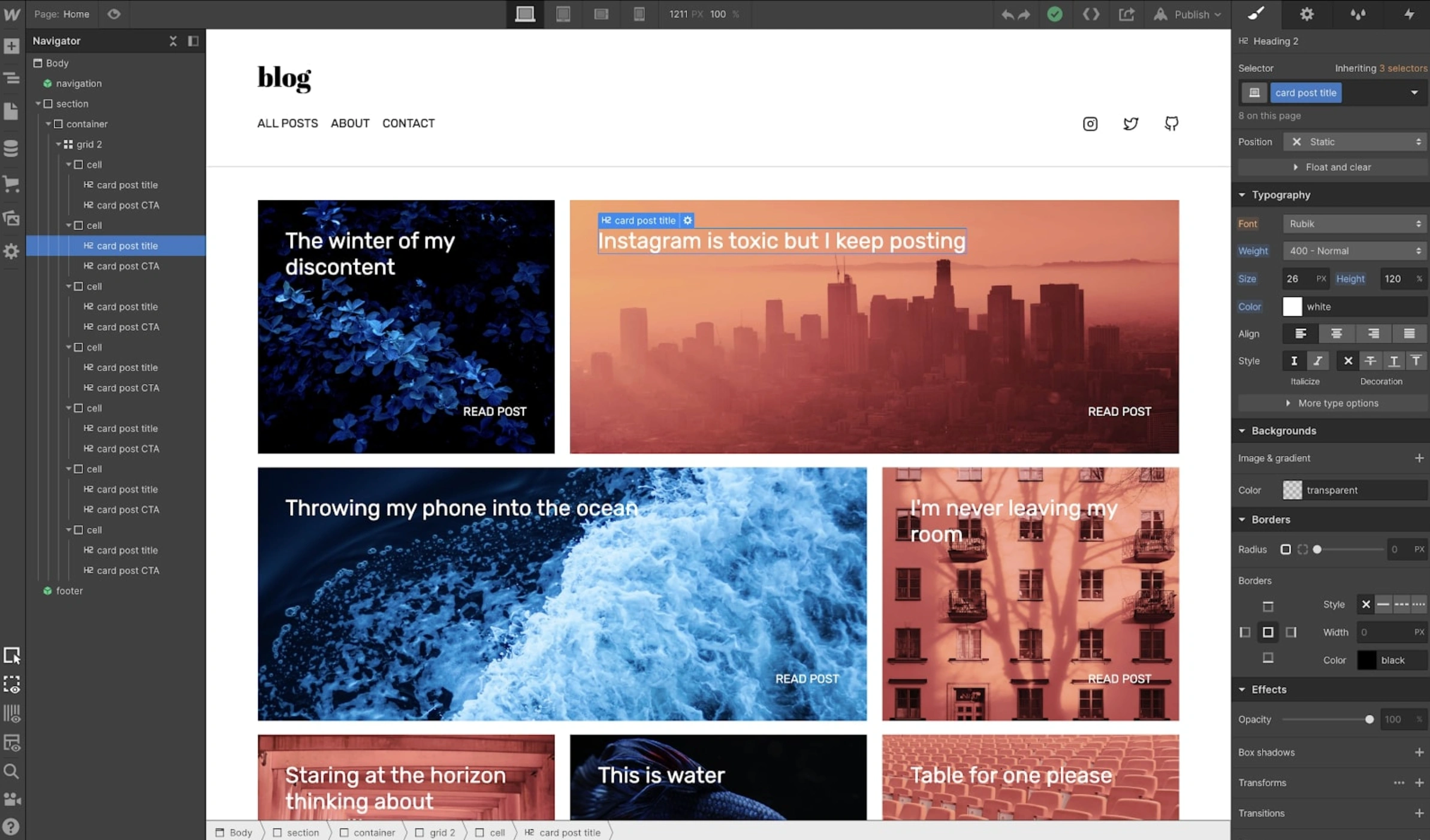
Map WordPress Content Types to Webflow CMS
A Webflow build should map WordPress content types into deliberate CMS collections. Common patterns include:
- Blog posts to a Blog collection with fields for author, category, and updated date.
- Case studies to a collection with structured proof points and outcomes.
- Resources to a collection that supports filters and consistent metadata.
This is also where you decide slug rules. If content migration changes slugs, redirect mapping becomes larger, and site migration SEO risk rises.
Migrate Media Without Breaking Equity
Media URLs are a frequent WordPress migration blind spot. Add these checks to your WordPress to Webflow migration checklist:
- Preserve high value file URLs when they have external links, or add 301 redirects for key files.
- Rebuild alt text where it carries meaning and accessibility value.
- Confirm that PDFs and downloadable assets resolve without 404s.
If your WordPress site has strong backlinks to legacy media paths, redirect mapping should include those file URLs. That is a direct SEO safeguard.
Rebuild On Page SEO Elements in Webflow
Content migration is not complete until on page signals match intent:
- Title tags and meta descriptions for priority pages.
- One clear H1 per page and a consistent heading hierarchy.
- Open Graph fields for shareable pages.
- Internal links updated to the new URLs, not left to rely on redirects.
A WordPress to Webflow migration checklist should treat internal links as part of site migration SEO, not a copy edit.
Redirects and Redirect Mapping: Build the Redirect Map Before You Build Pages
Redirect mapping is where migrations win or lose. The discipline is simple: build the redirect map first, then build pages against it.
Redirect Mapping Rules That Hold Up Under Scale
Use a spreadsheet with consistent columns:
- Old path
- New path
- Redirect type (use 301 redirects for permanent moves)
- Notes (consolidation, retired content, or template changes)
Rules that reduce risk:
- One old URL should redirect to one new URL.
- Consolidations should point to the most relevant replacement page, not the homepage.
- Avoid changing URLs for cleanliness unless there is a business reason.
If you can make redirect mapping boring, you can make the Webflow migration calm.
301 Redirects, Chains, and Canonicals
301 redirects tell search engines that a page has moved permanently. Google’s reference guide is Redirects and Google Search. This is the source to reference in redirect cases.
Three safeguards that belong in every WordPress to Webflow migration checklist:
- Avoid redirect chains. Each extra hop adds latency and reduces clarity.
- Avoid redirect loops. They waste crawl effort and create user dead ends.
- Keep canonicals aligned with the final destination URL. Webflow allows a global canonical tag, and warns against creating multiple canonical tags through separate systems.
Redirect mapping should also cover trailing slash behavior, folder moves, and legacy URL formats.
How to QA Redirects Before and After Launch
Redirect QA is part spreadsheet, part crawl:
- Before launch, spot check the top 50 to 100 URLs in your redirect mapping file.
- After launch, crawl the old URL list and confirm each resolves through 301 redirects to a 200 status page.
- Export 404s, add new redirect mapping entries, and retest.
Webflow supports importing 301 redirects in bulk, which makes this loop practical on large sites.
Webflow SEO Safeguards: Technical Settings That Matter at Launch
Webflow SEO is not automatic. Webflow gives you clear controls, and those controls need to be set consistently.
Indexing Controls, Sitemaps, and Robots
Before you publish, confirm:
- Staging is not indexable.
- Production is indexable and tied to the correct canonical domain.
- XML sitemap generation is enabled and reflects the pages you want indexed.
This is one of the highest return SEO safeguards in a Webflow build.
Canonicals and Duplicate Content Prevention
Canonicals help search engines understand the preferred version of a page. Webflow supports a global canonical tag URL and cautions against creating multiple canonical tags that can be ignored.
In practice, duplicates appear when:
- Both www and non www versions resolve without a consistent canonical.
- Test pages are published and never removed.
- CMS driven pages create near duplicates without clear differentiation.
If duplicates exist during content migration, site migration SEO becomes harder and slower.
Structured Data and Tracking Continuity
If WordPress had structured data that supported rich results, preserve what works:
- Organization or Website schema where appropriate.
- Article schema for blog content.
- Breadcrumb structure when it matches the visible site hierarchy.
Also confirm tracking continuity:
- Analytics tags are installed once.
- Conversion events fire on form submits, calls, or booking actions.
- Measurement supports leadership reporting, not just traffic counts.
This is where a UI UX design agency perspective helps. Analytics and experience design are tied in practice.
.webp)
UX and Performance Safeguards: Design Choices That Protect Conversions
A WordPress migration is often paired with a redesign. That is reasonable. It is also where conversion losses happen when teams change too many variables at once.
Information Architecture and Navigation
Protect the pathways that already work:
- Keep key page categories and navigation labels stable where possible.
- Use clear internal links from informational pages to high intent pages.
- Avoid hiding core pages behind new interaction patterns.
If you change navigation and URL structure together, redirect mapping expands and content migration becomes fragile.
Core Web Vitals, INP, and Asset Strategy
Performance affects user behavior and can influence visibility. Interaction to Next Paint, or INP, is a Core Web Vital that measures responsiveness across user interactions. The definition is covered in Interaction to Next Paint (INP).
A Webflow build can support strong performance, but only if you choose restraint:
- Limit third party scripts to what is necessary.
- Compress images and set explicit dimensions.
- Avoid heavy animations that reduce clarity or responsiveness.
These choices support site migration SEO and conversion rate at the same time.
Accessibility and Governance in Webflow
Migration is a chance to improve accessibility and governance:
- Correct heading hierarchy on templates and CMS pages.
- Visible focus states and keyboard navigation.
- CMS field governance and editor permissions that protect Webflow SEO settings over time.
If governance is unclear, SEO safeguards decay quickly after the WordPress migration is complete.
Launch Day QA: A Migration Checklist for Release
Launch is where a WordPress to Webflow migration checklist earns its value. This is where SEO safeguards need to be explicit, not implied. The goal is not perfection. It is controlled risk.
Pre Launch QA
Before go live:
- Confirm all priority pages exist and match the baseline intent.
- Validate redirect mapping coverage for every changed URL.
- Test 301 redirects for top landing pages and top converting pages.
- Confirm canonicals, sitemap behavior, and indexability.
- Validate forms, automations, and thank you pages.
If time is tight, prioritize redirects and indexability. Those are the fastest paths to preventable loss.
Go Live Sequence
A clean sequence reduces errors:
- Publish the Webflow site to production.
- Confirm DNS, SSL, and primary domain resolution.
- Recheck the top 20 revenue driving pages and top 20 organic landing pages.
- Validate 301 redirects against the redirect mapping sheet.
This keeps site migration SEO from becoming reactive triage.
Immediate Post Launch Checks
Within the first hour:
- Confirm no accidental noindex on key pages.
- Confirm no widespread 404 patterns.
- Confirm analytics is collecting sessions and conversions.
- Run a small crawl to verify canonical and status code behavior.
A WordPress migration should never end on launch day. It should transition into monitoring.
Post Launch Monitoring: The First 30 Days of Site Migration SEO
Site migration SEO is complete when indexing, rankings, and conversion paths stabilize. A 30 day monitoring window is a realistic minimum for most migrations.
Search Console and Index Coverage
In week one, monitor:
- Index coverage changes and crawl errors.
- Sitemap submission and discovery behavior.
- Ranking trends for top pages, not the full keyword set.
Fixing 404s, Redirect Gaps, and Soft 404s
Expect missed URLs. The important part is how you close them:
- Add redirect mapping entries for high value 404s first.
- Confirm those URLs now resolve through 301 redirects to relevant pages.
- Remove redirect chains and consolidate rules where possible.
This is one of the fastest ways to recover after a Webflow migration that shipped with gaps.
Mini case example: A B2B site moved from WordPress to Webflow and launched with a partial redirect map file. Within 72 hours, Search Console showed a spike in 404s on legacy blog URLs and several high intent landing pages. The fix was not a redesign revision. It was a disciplined cleanup: add missing 301 redirects, eliminate chains, and update internal links to the final URLs.
Within two weeks, the top landing pages returned to their prior ranking range, and lead volume normalized. The team kept a weekly QA loop in place for the full 30 days as an SEO safeguard.
Reporting to Stakeholders
Stakeholders need a calm, weekly view:
- Traffic and lead quality trends versus the baseline.
- Any critical pages losing visibility and why.
- The open list of redirect mapping fixes and content migration corrections.
Reporting is part of SEO safeguards. Strong SEO safeguards keep scope controlled and decisions clean.
When to Bring in a Migration Team
Some migrations are straightforward. Others are operational projects across design, development, content, and SEO.
Complexity Signals and Risk Triggers
Consider specialist support when:
- The site has more than 200 to 300 indexed URLs, multiple languages, or multiple subfolders.
- The WordPress site relies on complex plugins, custom post types, or gated content.
- Organic search is a primary growth channel that cannot tolerate volatility.
- Redirect mapping includes legacy URL patterns and file assets.
If you are also rethinking brand positioning, this is where a Branding agency and SEO team alignment can prevent rework later.
-1.webp)
What to Ask Before You Sign Off
Before you approve go live, ask for:
- A written WordPress to Webflow migration checklist with owners and dates.
- A redirect mapping file with QA status and an import plan.
- A content migration plan that preserves top pages and updates internal links.
- A launch plan and a 30 day site migration SEO monitoring plan.
If you want a second set of eyes before launch, a marketing consultation and audit agency can review redirect mapping, Webflow SEO settings, and content migration scope.
Speak with Brand Vision about Webflow design and development agency support, WordPress web design agency planning, and ongoing SEO agency coverage aligned to your migration goals.



%2520(1).png)






