

Running a technical SEO audit is one of the highest-impact actions a business can take to strengthen organic search performance. Most companies invest in content and paid media while ignoring the structural issues that quietly suppress rankings. A well-executed technical SEO audit surfaces those issues before they compound into serious visibility losses.
This 40-point technical SEO audit checklist gives marketing leaders, founders, and in-house teams a structured framework for inspecting every layer of their website. From crawlability and Core Web Vitals to structured data and security, this guide covers the checks that matter most to Google and to the users you are trying to reach.
If you need a partner to lead this process, the SEO services at Brand Vision is structured to run comprehensive audits and align findings with measurable growth strategies.
.webp)
What Is a Technical SEO Audit and Why Does It Matter?
A technical SEO audit is a systematic evaluation of your website's infrastructure, code, and configuration as they relate to search engine crawling, indexing, and ranking. Unlike a content audit or backlink review, a technical SEO audit focuses on the foundational signals that determine whether search engines can reliably access, interpret, and rank your pages.
Search engines like Google use automated crawlers to discover and index web content. If your site has configuration errors, slow load times, or broken signals, those crawlers either skip important pages or rank them poorly. According to Google's Search Central documentation, crawl configuration alone can determine whether an entire section of your site ever enters the index.
A rigorous technical SEO audit is especially important for growing businesses, product launches, and site redesigns, where underlying issues can remain invisible for months. The Brand Vision Marketing approach treats a technical SEO audit as the essential baseline before any content or link building investment begins.
Section 1: Crawlability and Indexability (Points 1 to 8)
Crawlability determines whether search engines can reach your pages. Indexability determines whether those pages are eligible to appear in search results. Both must be verified early in any technical SEO audit.
1. Audit Your Robots.txt File
Your robots.txt file instructs search engine crawlers on which sections to access. Misconfigured directives can accidentally block entire directories, including your most valuable pages. Use Google Search Console to test your robots.txt and confirm no critical paths are disallowed.
2. Validate Your XML Sitemap
An accurate XML sitemap accelerates indexing by providing crawlers with a direct map of your site. According to Google's sitemap documentation, your sitemap should only reference canonical, indexable URLs. Remove redirected, noindex, or broken URLs from the sitemap file.
3. Review Crawl Budget Efficiency
Crawl budget refers to the number of URLs Google will crawl on your domain within a given period. Large sites with faceted navigation or duplicate parameter-based URLs can exhaust crawl budget on low-value pages. Map your crawl depth using a tool like Screaming Frog SEO Spider to identify and eliminate inefficiencies.
4. Identify Noindex Tags on Important Pages
A misplaced noindex meta tag can silently remove key service pages or blog posts from search results. During a technical SEO audit, crawl all pages and flag any noindex directives that appear on pages intended for ranking.
5. Audit Canonical Tags for Accuracy
Canonical tags tell Google which version of a page is the preferred one. Incorrect self-canonicals, cross-domain canonicals, or pages pointing to wrong URLs create indexing confusion. Verify that every canonical tag resolves to a live, indexable URL.
6. Review Google Search Console for Crawl Errors
Google Search Console's Coverage report categorises pages as Valid, Excluded, Warning, or Error. Pull this report as part of every technical SEO audit to identify server errors, soft 404s, and pages excluded from the index unintentionally.
7. Inspect Redirect Chains and Loops
Redirect chains dilute link equity and slow page load times. A redirect loop prevents pages from loading entirely. Audit all 301 and 302 redirects and consolidate chains to single hops wherever possible.
8. Validate URL Parameter Handling
Session IDs, tracking parameters, and filter combinations generate large volumes of near-duplicate URLs. If left unaddressed, they consume crawl budget and create duplicate content signals. Use canonical tags or Google Search Console's URL parameter settings to manage this effectively.
.webp)
Section 2: Site Speed and Core Web Vitals (Points 9 to 16)
Page experience signals are now a confirmed ranking factor. A complete technical SEO audit must include a structured review of Core Web Vitals and the broader site speed performance of your most important pages.
9. Measure Largest Contentful Paint (LCP)
LCP measures how quickly the main content of a page loads. Google's threshold for a good LCP score is under 2.5 seconds. Slow LCP is commonly caused by unoptimized images, slow server response times, or render-blocking resources.
10. Evaluate Cumulative Layout Shift (CLS)
CLS measures visual stability. A high CLS score indicates that elements shift unexpectedly during load, which degrades user experience. Assign explicit size attributes to images, ads, and embeds to reduce layout instability.
11. Assess Interaction to Next Paint (INP)
INP replaced First Input Delay as the interactivity metric in 2024. It measures the overall responsiveness of a page to user inputs throughout the session. Heavy JavaScript execution is the most common cause of poor INP scores.
12. Test Time to First Byte (TTFB)
TTFB measures how quickly a server responds to a browser request. A slow TTFB affects all other performance metrics downstream. Use Google PageSpeed Insights to diagnose TTFB issues and evaluate server, CDN, and caching configurations.
13. Review Image Optimization
Uncompressed images are among the most common causes of slow page speed. Convert images to WebP or AVIF format, compress without quality loss, and implement lazy loading for below-the-fold images. Every technical SEO audit should include a full image audit.
14. Audit Render-Blocking Resources
JavaScript and CSS files that block rendering delay the display of page content. Defer non-critical JavaScript, inline critical CSS, and eliminate any unnecessary third-party scripts that load in the critical rendering path.
15. Evaluate Server Response Time
Consistent server performance across geographies requires a properly configured hosting environment, CDN, and caching layer. For high-traffic pages, even marginal improvements in server response time compound into measurable ranking gains over time.
16. Check Browser Caching Configuration
Proper cache-control headers allow returning visitors to load pages significantly faster by serving static assets from local storage. Verify that images, scripts, and stylesheets are configured with appropriate cache expiry headers.

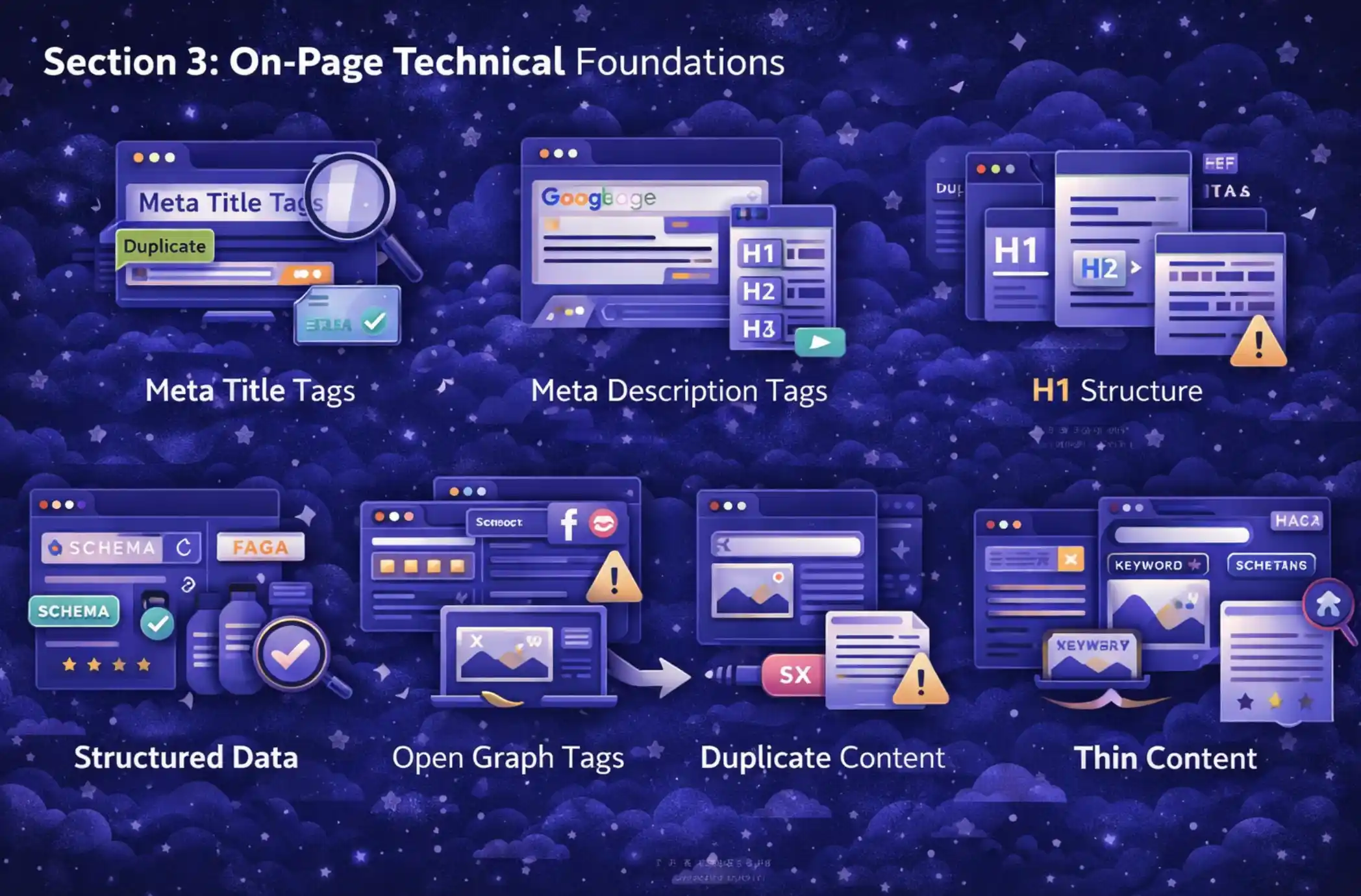
Section 3: On-Page Technical Foundations (Points 17 to 24)
On-page technical elements signal relevance and authority to search engines. This section of the technical SEO audit covers the metadata, markup, and content quality signals that directly influence rankings.
17. Audit Meta Title Tags
Every page should have a unique, descriptive meta title between 50 and 60 characters. Duplicate title tags dilute relevance signals. Missing titles result in Google generating its own, which may not align with your targeting strategy.
18. Review Meta Description Tags
While meta descriptions are not a direct ranking factor, they influence click-through rates in search results. Keep descriptions between 140 and 160 characters, include the primary keyword naturally, and write for the human reader rather than the crawler.
19. Verify H1 Tag Structure and Hierarchy
Each page should contain exactly one H1 tag that clearly states the page's topic. Subheadings should follow a logical H2 and H3 hierarchy. Broken heading structure reduces both readability and search engine comprehension of your content.
20. Validate Structured Data and Schema Markup
Schema markup enables rich results in Google search, including review stars, FAQ dropdowns, and breadcrumb trails. Use the Google Rich Results Test to verify that your structured data is implemented correctly and eligible for enhanced display in search results.
21. Inspect Open Graph and Social Meta Tags
Open Graph tags control how pages are displayed when shared on social platforms. Missing or misconfigured OG tags result in unprofessional previews that reduce social traffic. Confirm that every key page has accurate OG title, description, and image tags.
22. Identify Duplicate Content Issues
Duplicate content confuses search engines and can dilute ranking potential across multiple pages. Run a full crawl to identify URL pairs with very similar or identical content. Apply canonical tags or consolidate pages where appropriate.
23. Review Thin Content Pages
Pages with minimal or low-quality content are a liability in a technical SEO audit. Google's Helpful Content system actively evaluates content quality at the site level. Consolidate, improve, or noindex thin pages to raise the overall quality signal of your domain.
24. Check for Keyword Cannibalization
When multiple pages target the same keyword, they compete against each other in search results. This fragmentation reduces the authority of any single page. Map your keyword targets to individual pages and consolidate or differentiate overlapping content.
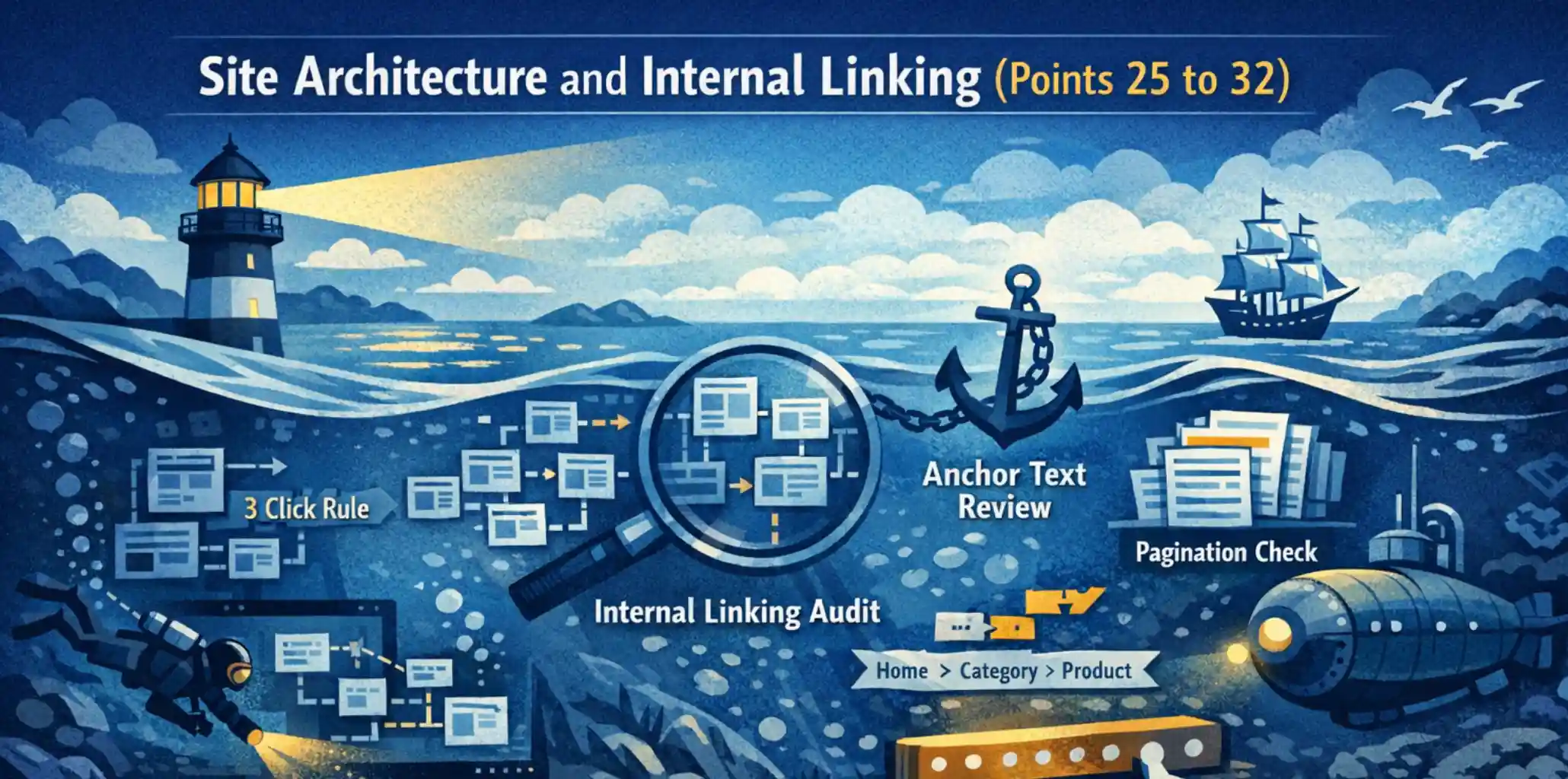
Section 4: Site Architecture and Internal Linking (Points 25 to 32)
Site architecture directly affects how authority flows through your domain and how efficiently crawlers navigate your content. This section of the technical SEO audit examines the structural decisions that govern long-term organic performance.
If your site's architecture needs a full strategic review, consider starting with a marketing consultation and audit to map existing gaps before restructuring.
25. Map URL Structure and Crawl Depth
Important pages should be reachable within three clicks from the homepage. Deep page hierarchies reduce the likelihood that crawlers will reach and index lower-level content. Flatten your architecture where possible and prioritize logical, keyword-informed URL slugs.
26. Audit Internal Linking Coverage
Internal links distribute authority across your site and help search engines understand topical relevance. Every important page should receive internal links from contextually related content. A technical SEO audit should map which pages are underlinked and identify opportunities to strengthen topical clusters.
27. Identify Orphan Pages
Orphan pages have no internal links pointing to them. Without internal links, crawlers may not discover them reliably, and they receive no authority from your domain. A full crawl compared against your sitemap will surface orphaned content.
28. Evaluate Anchor Text Diversity
Anchor text signals to search engines the relevance of the destination page. Over-optimized exact-match anchors can trigger spam signals, while vague anchor text like "click here" provides little context. Audit internal anchor text for variety, relevance, and accuracy.
29. Review Pagination Implementation
Paginated content, such as blog archives or product listings, requires structured implementation to avoid duplicate content and diluted authority. Ensure paginated pages are either canonicalised to the first page or handled with clear rel="next" and rel="prev" signals.
30. Check Breadcrumb Navigation and Markup
Breadcrumbs improve both user navigation and crawler understanding of site hierarchy. When paired with breadcrumb schema markup, they also appear in Google search results, improving click-through rates. Verify that breadcrumb markup matches the visible navigation path.
31. Inspect Hreflang Tags for Multilingual Sites
For sites targeting multiple languages or regions, hreflang tags tell Google which version of a page to serve to each audience. Incorrect or missing hreflang tags result in the wrong language version ranking in the wrong market.
32. Analyse Server Log Files
Log file analysis reveals how Googlebot actually crawls your site, which pages are accessed most often, and which pages are ignored. This data validates the assumptions made during the rest of the technical SEO audit and surfaces hidden crawl inefficiencies.
Section 5: Security, Mobile, and Technical Health (Points 33 to 40)
Security and mobile performance are non-negotiable ranking factors. This final section of the technical SEO audit addresses the checks that protect both your search performance and your users.
33. Verify HTTPS and SSL Certificate Status
HTTPS is a confirmed Google ranking signal. An expired or misconfigured SSL certificate creates browser security warnings that damage user trust and may trigger ranking drops. Verify that your certificate is current, correctly installed, and covers all required subdomains.
34. Test Mobile-Friendliness and Responsive Design
Google uses mobile-first indexing, meaning it crawls and ranks your mobile version before your desktop version. Test your site through Google PageSpeed Insights and confirm that all content, navigation, and interactive elements are fully functional on mobile devices. The web design services at Brand Vision build responsive, performance-optimised websites structured for mobile-first indexing from the ground up.
-1.webp)
35. Identify Mixed Content Warnings
Mixed content occurs when an HTTPS page loads resources over HTTP. Browsers flag these as insecure, which can suppress page visibility and erode user trust. Use browser developer tools or a site audit platform to identify and fix all mixed content sources.
36. Audit Broken Links and 404 Errors
Broken internal links waste crawl budget and deliver a poor user experience. Broken external links reduce the authority signals flowing between domains. A full technical SEO audit should surface all 404s and prioritize fixing or redirecting high-traffic broken URLs.
37. Inspect Core Web Vitals on Mobile
Core Web Vitals scores differ between desktop and mobile. Many sites pass desktop thresholds but fail on mobile. Pull field data from Google Search Console's Core Web Vitals report to see real-world performance scores segmented by device type.
38. Validate Google Search Console Setup
An improperly configured Search Console property creates blind spots in your monitoring. Confirm that all verified properties use the correct domain prefix format, that your XML sitemap is submitted, and that the primary domain version is confirmed and active.
39. Audit Site Accessibility Standards
Accessibility and technical SEO are increasingly aligned. Missing image alt attributes, poor contrast ratios, and non-semantic HTML all reduce both accessibility scores and search engine comprehension. A well-structured technical SEO audit should flag accessibility issues that overlap with SEO performance.
40. Review Image Alt Attributes
Alt attributes describe images to screen readers and to search engine crawlers that cannot interpret image content visually. Every meaningful image should carry an accurate, descriptive alt attribute that reflects its content and, where appropriate, supports the page's keyword strategy.

How to Act on Your Technical SEO Audit Findings
Completing a technical SEO audit generates a prioritised list of findings, and sequence matters. Not all issues carry equal weight. Prioritize fixes in this order:
- Critical: Crawl blocks, noindex errors, HTTPS failures, and sitemap misconfiguration. These prevent pages from entering the index at all.
- High priority: Core Web Vitals failures, duplicate content, and canonical errors. These suppress rankings for pages that are indexed.
- Medium priority: Missing structured data, thin content, and orphan pages. These represent unrealised ranking potential.
- Ongoing maintenance: Broken links, alt attributes, and log file monitoring. These should be reviewed on a quarterly cadence.
Once technical fixes are deployed, use a consistent process to track Google keyword rankings so you can separate genuine recovery from normal search volatility.
A structured remediation plan, not just a list of issues, is what separates a useful technical SEO audit from a document that sits in a folder. If your team needs structured support to act on audit findings, Brand Vision's SEO services include audit-to-execution pathways that align technical fixes with broader search strategy.
For businesses that need a broader strategic review before diving into execution, a marketing consultation and audit can map how technical performance connects to brand positioning, UX quality, and overall digital presence.
Build Your Organic Foundation on Technical Precision
A complete technical SEO audit is the structural backbone of any sustainable organic search strategy. Content and links deliver results only when the technical foundation beneath them is sound. The 40 checkpoints in this guide cover the full scope of what Google evaluates when deciding how to crawl, index, and rank your site.
Organisations that run regular technical SEO audits do not just fix problems. They build compounding advantages over competitors who neglect this layer of their digital performance. According to Moz's technical SEO resources, the sites that consistently rank for competitive keywords share strong technical foundations as a common characteristic.
Brand Vision is structured to support ambitious teams across the full scope of search performance. From a rigorous technical SEO audit to the execution of a long-term organic strategy, the SEO services framework is built to deliver measurable, scalable results.
If your business is also investing in digital presence beyond SEO, explore how Brand Vision approaches brand strategy and integrated digital systems that position your brand clearly across every channel. The foundation you build today determines the organic authority you compound tomorrow.



%2520(1).png)






