
Lead gen websites are built to do something specific: turn qualified interest into a real conversation. When that does not happen, the issue is rarely one big failure. It is usually a series of small misunderstandings that add up. The visitor cannot tell what you do fast enough. They do not trust the proof. The form feels risky. A single unclear label creates hesitation, and hesitation creates drop off.
Usability testing for lead gen websites helps you see those moments in real time. Instead of guessing why people abandon a form or bounce after a service page, you watch them try to decide. You hear what they expect. You see where they stall. That is the difference between “we should rewrite the page” and “we know what is unclear and why.”
When usability testing for lead gen websites becomes a routine, it stops being a research exercise and starts acting like quality control for revenue. It protects acquisition spend, reduces internal debate, and makes improvements easier to prioritize. This is also why teams often pair it with experience work through a UI/UX agency so findings translate into changes that ship cleanly.
Why Usability Testing Matters for Lead Gen Websites
A lead gen site has a different job than a brand site. It must answer questions fast, then guide the visitor toward a next step that feels safe. If a visitor needs to ask a colleague what your service actually includes, the site did not do its job. If a visitor is interested but unsure what happens after they submit the form, the site did not do its job.
Usability testing for lead gen websites identifies where clarity breaks down. It reveals when users confuse services, misread pricing signals, or do not understand what qualifies them to reach out. It also surfaces trust gaps, such as missing proof, vague claims, and unclear outcomes.
This work matters now because buyer behavior has shifted. Many prospects prefer to self educate before they talk to anyone. That means your pages and forms must carry more of the sales load. When the path to conversion is brittle, even strong traffic will not turn into pipeline. Usability testing for lead gen websites is the fastest way to stress test that path.
At a Glance: A Simple Standard for Lead Gen Usability Testing
A reliable approach can be summarized in a few steps. The details matter, but the structure should stay simple.
- Choose one or two high value journeys to test first, not the entire site
- Run usability testing recruitment that matches real decision contexts
- Use a usability test script that forces navigation, evaluation, and form completion
- Capture evidence and ship a usability testing report with priorities and owners
- Implement fixes, then validate with a second round using new participants
If you do this monthly or quarterly, you build institutional confidence. Teams stop guessing. They learn what language users trust, what proof changes decisions, and what form behaviors create abandonment.
Pick the Right Study Type: Moderated vs Unmoderated
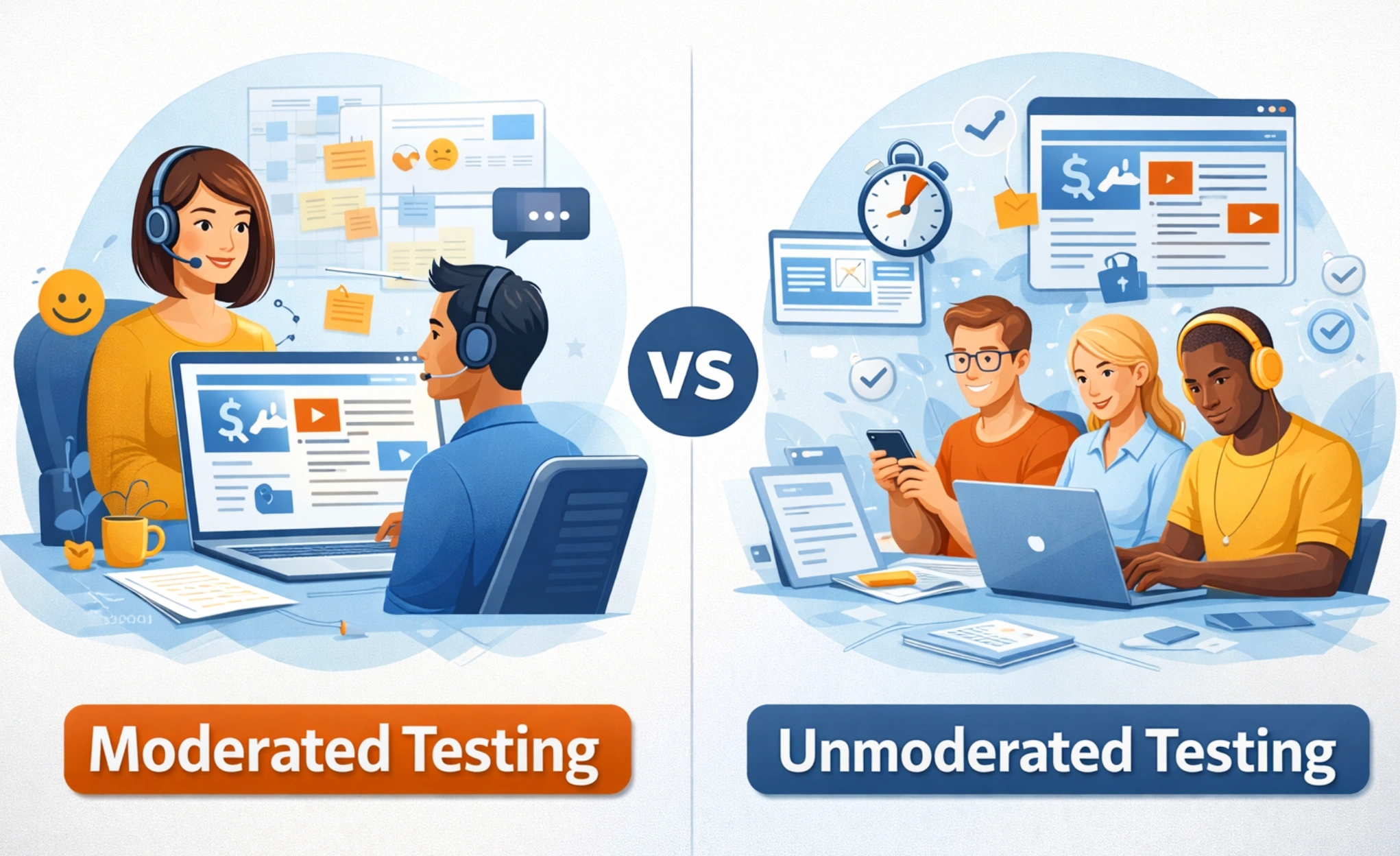
Moderated testing is best when you need to understand why a user makes a choice. It is especially useful when your services are complex, your pricing is nuanced, or trust signals do heavy lifting. A facilitator can ask neutral follow-ups and capture the reasoning behind hesitation.
Unmoderated testing is best when you need volume and consistency. It helps you validate whether a pattern holds across more participants. It can also be useful for benchmarking, such as comparing two variations of a landing page or form flow.
For most teams, the most effective pattern is a sequence. Start with moderated sessions to learn where friction exists and why. Then run an unmoderated round to see how widespread it is. When results point to larger structural changes, align the testing plan with your web design agency workflow so fixes land in templates and systems, not isolated patches.
Usability Testing Recruitment: Who to Recruit and How Many
Usability testing recruitment is where most programs succeed or fail. If you recruit the wrong people, the findings may be tidy, but they will not reflect your actual buyers. Lead gen sites serve intent, not demographics. Your recruitment should match the intent.
Recruit participants who resemble your real decision makers. That includes role, constraints, vocabulary, and prior purchase experience. If your leads typically require internal approval, recruit people who have lived through that process. If your leads are often urgent, recruit people who have made time-sensitive vendor decisions.
Build a Screener That Matches Real Buyers
A screener should filter for decision context and buying behavior. Avoid subjective questions that invite people to perform for you. Focus on what they have done before.
Use questions that confirm:
- Their role and level of influence on vendor selection
- The kinds of problems they are trying to solve
- The typical budget range they have worked with
- Whether they have compared providers in the last 12 to 24 months
- What they expect to see before submitting a form
If you need multiple audiences, recruit separately for each. A visitor evaluating a broad service partner will behave differently than a visitor looking for a narrow solution. When you sell marketing services, this segmentation often matters. A visitor comparing agencies for strategy will scan differently than one evaluating execution. This is why a service like marketing consultation can require a distinct user journey.
-1.webp)
Sample Size and Iteration Cadence
For qualitative work, small samples can uncover most major issues when you iterate. Nielsen Norman Group’s guidance explains why small groups often surface the majority of usability problems, especially when you test, fix, and test again (Nielsen Norman Group).
A practical lead gen baseline:
- 5 moderated participants per key audience
- 10 to 20 unmoderated participants per key audience for validation
- A second round after fixes, using new participants
The goal is not statistical precision. The goal is to find what breaks decisions, fix it, and confirm the fix holds.
Write a Usability Test Script That Surfaces Conversion Friction
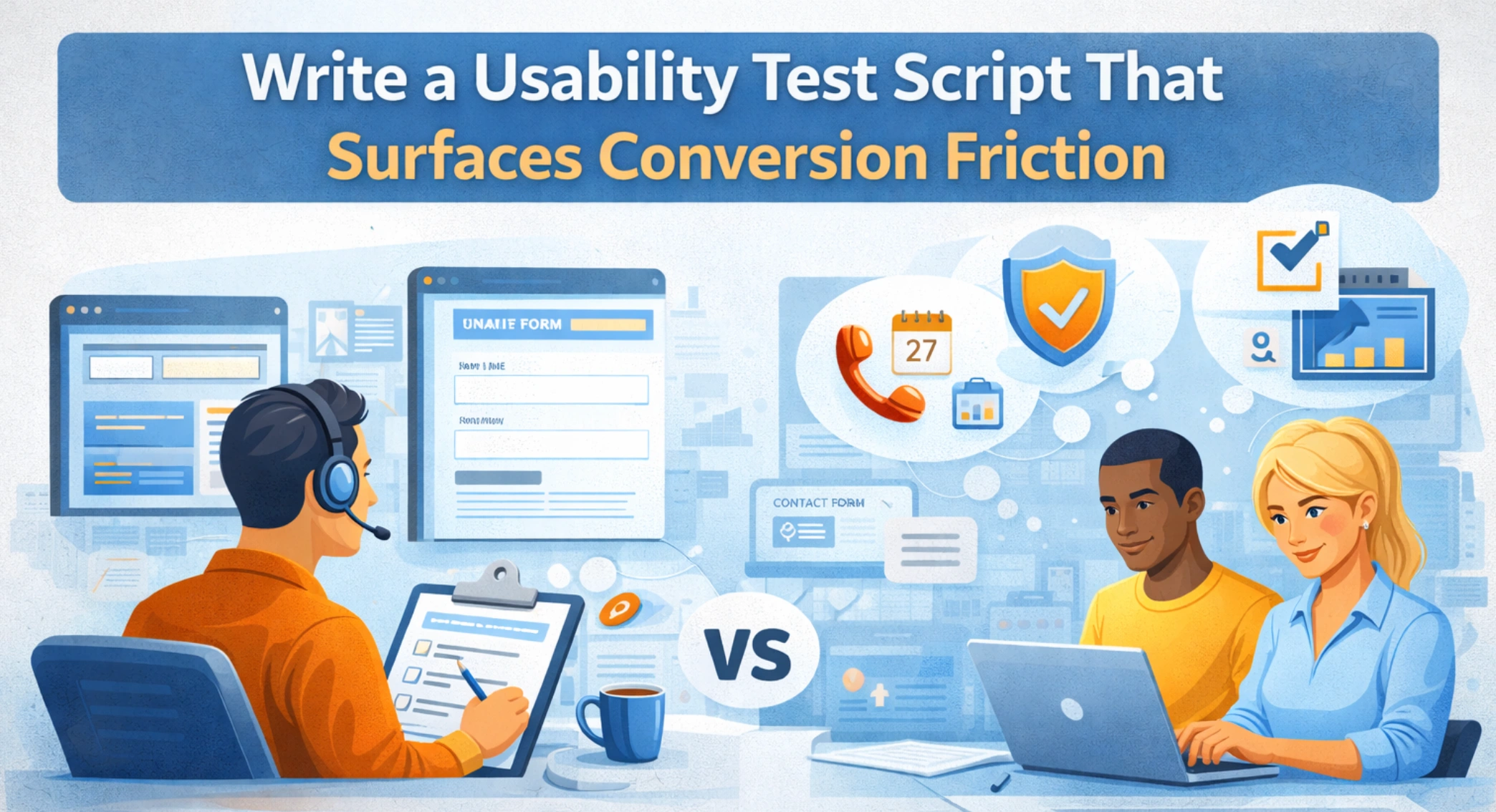
A usability test script creates consistency. It prevents accidental coaching. It also ensures you can compare sessions, rather than collecting anecdotes.
For lead gen, a usability test script should simulate a real decision moment. It should require users to interpret the offer, evaluate fit, and complete a form without hand-holding. If tasks are too generic, your findings will be too generic.
Task Design for Lead Gen Journeys
Write tasks based on buyer intent, not your navigation. You are testing decisions, not menus.
Effective task frames include:
- “You are evaluating two providers. Find what you need to decide if you would contact this company.”
- “You have internal approval. Show me how you would request a quote or kickoff call.”
- “You are not ready to talk yet. Find proof that this team has done similar work.”
- “You need to share options internally. Find what you would send to your leadership.”
- “Complete the contact process in a way you would be comfortable doing in real life.”
Include at least one conversion task that reaches the form and attempts completion. If the form is multi step, test the handoffs. If the form has required fields that are confusing, test error recovery.
Moderator Prompts That Stay Neutral
Neutral prompts keep the results clean. Your role is to observe, not to guide.
Use prompts like:
- “What are you looking for right now?”
- “What do you expect will happen if you click that?”
- “What would you do next?”
- “What feels unclear?”
- “What would stop you from submitting this form?”
Avoid prompts that suggest an answer. If users cannot find pricing cues or proof, that is the signal. A strong usability test script makes it easier for facilitators to stay neutral, even when sessions feel uncomfortable.
Set Up the Session: Tools, Consent, and Accessibility
Setup is not administrative. It affects validity. If the audio fails or the device mix is wrong, you may misdiagnose the problem.
Standardize these elements:
- Device coverage based on real traffic patterns
- Browser coverage, usually Chrome plus one secondary browser
- Recording of screen, audio, and optional face video
- Consent language and privacy expectations
- Roles, one facilitator and one observer tagging evidence
Accessibility must be part of the plan. Form usability is often tied to error handling, focus states, label clarity, and readability. Microsoft’s UX guidance emphasizes clear, actionable feedback and usable interaction patterns (Microsoft Learn). Those are not just accessibility issues. They are conversion issues.
If the test reveals systemic template problems, it often points to broader design and build work. That is where a UI/UX agency can help connect findings to implementation patterns that hold across the site.
What to Measure on Lead Gen Sites: Signals That Predict Form Completion
Usability testing is qualitative, but you still need consistent signals. Otherwise, stakeholders will argue about what matters.
Track a small set of indicators that tie to conversion confidence:
- Time to first meaningful action toward the correct path
- Hesitation, backtracking, and repeated scanning
- Misinterpretation of headings, buttons, and proof points
- Whether users can explain what the company does in their own words
- Whether users can predict what happens after submitting the form
- Form completion success, including error recovery
- Trust signals users look for before they commit
You can also anchor the conversation in standard definitions. NIST, referencing ISO 9241, frames usability as effectiveness, efficiency, and satisfaction in a context of use (NIST). For lead gen, effectiveness is reaching and completing the form. Efficiency is doing it without confusion. Satisfaction is feeling confident enough to submit real information.
If you want testing to complement technical improvements, remember that Google’s page experience systems incorporate signals like mobile friendliness and Core Web Vitals (Google Search Central). Those are constraints on experience quality. They do not replace usability testing for lead gen websites, but they do shape whether improvements will stick.
Turn Findings Into Decisions: Severity, Effort, and Revenue Risk
Teams get stuck when findings sound subjective. A simple prioritization model avoids that.
Rate each issue by:
- Severity, does it block progress or reduce trust
- Frequency, how often it appears across users and segments
- Effort, how hard it is to fix within the current system
Then add revenue risk. If the issue occurs on a high-intent page or right before form submission, treat it as a priority even if fewer participants encountered it. Lead gen experiences are sensitive near the end of the funnel.
This is where usability testing for lead gen websites becomes a management tool. It helps teams decide what to fix immediately, what to schedule, and what requires a deeper redesign.
How to Write a Usability Testing Report Stakeholders Will Actually Use
A usability testing report should be written for action. It should make decisions easier, not slower.
The goal is simple. A stakeholder should be able to read the first page, understand the risk, and agree on the next steps. The rest of the report should provide evidence and implementation clarity.
Executive Summary Template
A strong executive summary includes:
- What you tested and the key journeys
- Who you recruited and why the sample reflects real buyers
- The top issues affecting lead gen outcomes
- A prioritized list of fixes with owners and timelines
- A short note on what should be validated in the next round
Keep the language direct. Avoid hedging. Your job is not to soften the truth. It is to present evidence clearly.
Evidence Pack: Clips, Quotes, Screenshots
Evidence reduces debate. Include:
- One short clip per major issue
- A screenshot highlighting the moment of confusion
- One representative quote capturing the user’s interpretation
This is where disciplined usability testing recruitment and a consistent usability test script pay off. When the same friction repeats across sessions, stakeholders stop treating it as opinion.
Recommendation Format That Engineers Can Ship
Write recommendations in a format that maps cleanly to work tickets:
- Problem statement
- Evidence
- Root cause hypothesis
- Proposed fix
- Acceptance criteria
This also improves accountability. A usability testing report should not end with general advice. It should end with decisions and owners.
If your fixes touch templates, navigation, or content governance, align them with a broader web design plan so changes land consistently.
.webp)
Common Pitfalls That Make Usability Tests Useless
Most failures are predictable. They come from process shortcuts.
Common pitfalls include:
- Convenience recruiting that misses real decision contexts
- Tasks that mirror the menu instead of buyer intent
- Facilitators coaching participants through confusion
- Testing too many flows in one session
- Reporting findings without clear prioritization
- Treating preference feedback as fact
- Skipping validation after fixes
Usability testing for lead gen websites works when it is focused and iterative. If it turns into an all site audit, teams get overwhelmed and ship nothing.
A Practical 2 Week Build Plan: From Test to Launch
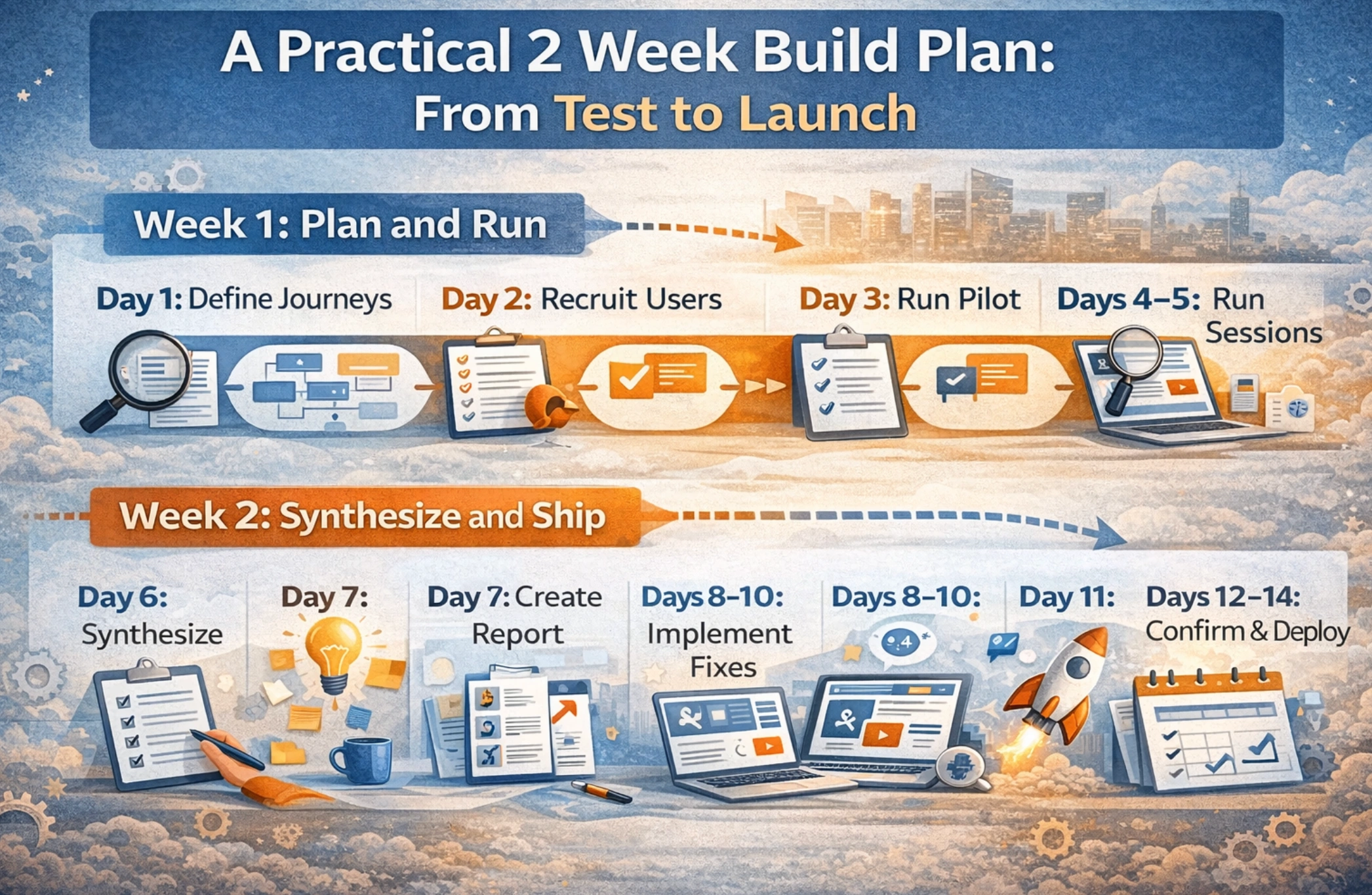
A two week cycle is realistic for many teams. It keeps momentum high and evidence fresh.
Week 1: Plan and Run
- Day 1: define journeys, success criteria, and stakeholders
- Day 2: finalize usability testing recruitment screener and begin scheduling
- Day 3: draft the usability test script and run one pilot session
- Days 4 to 5: run sessions and tag evidence in real time
Week 2: Synthesize and Ship
- Day 6: synthesis workshop and prioritization
- Day 7: write the usability testing report and align on owners
- Days 8 to 10: implement fixes across content, UI, and form behavior
- Day 11: QA across device types and key flows
- Days 12 to 14: run a confirmation round with new participants, then deploy
This cadence is also easier to govern. It creates clear windows for research, decisions, and implementation.
When to Bring in a UI UX Team
Some issues are quick fixes. Others signal deeper structural problems.
Bring in a UX team when:
- Multiple audiences share the same templates but need different paths
- The information architecture no longer matches the business
- The form requires conditional logic or multi step validation
- Stakeholders disagree and need evidence to align
- You need findings translated into a redesign and build plan
A strong partner connects usability to execution. That is where Brand Vision’s approach is practical. We treat usability testing for lead gen websites as input to design systems, template decisions, content structure, and form interaction patterns. If the site must support growth, the fixes must hold at scale.
If you are evaluating a partner for this work, start with the basics. Do they run rigorous usability testing recruitment? Do they use a consistent usability test script? Do they ship a usability testing report that engineers can implement without reinterpretation? Those three elements determine whether testing improves the pipeline or becomes an internal artifact.
FAQ
How many participants do we need for usability testing for lead gen websites?
For qualitative discovery, many teams start with five participants per key audience, then run a second round after fixes. If you need broader confirmation, add an unmoderated round with ten to twenty participants per audience. The most reliable approach is iterative testing, not one large study.
What should a usability test script include for lead gen work?
A usability test script should include a realistic scenario, tasks that reflect evaluation and comparison, and at least one end to end conversion task that requires starting and completing the form. It should also include neutral prompts that reveal uncertainty, trust concerns, and expectations about what happens after submission.
How do we handle usability testing recruitment if we cannot access customers?
If you cannot recruit from your customer base, use panels or professional networks and screen carefully for decision context. Focus on role, influence, and prior experience buying similar services. Document any recruitment limitations in your usability testing report so stakeholders interpret findings responsibly.
What belongs in a usability testing report for executives?
A usability testing report for executives should lead with a short summary of what was tested, who participated, and the top issues affecting lead gen outcomes. It should include evidence, clear prioritization, and recommendations with owners. The report should make it easy to decide what to fix first.
How does usability testing connect to performance and organic acquisition?
Usability testing for lead gen websites improves clarity and reduces abandonment, which helps both paid and organic channels perform better. Technical experience also matters because page experience systems incorporate mobile usability and speed factors such as Core Web Vitals (Google Search Central). Testing ensures the experience is understandable and trustworthy once users arrive.
Make the Next Click Obvious
At Brand Vision, usability testing is treated as part of how a lead gen website earns trust. The goal is not a long list of observations. The goal is a clear set of improvements that reduce uncertainty and make it easier for qualified visitors to reach out.
When we run usability testing for lead gen websites, we start with the journeys that matter most. We set a disciplined plan for usability testing recruitment so participants mirror real decision contexts. We use a usability test script that forces users to interpret the offer, find proof, and complete the form without coaching. Then we translate findings into a usability testing report built for implementation, with priorities, owners, and acceptance criteria.
If you want this work to be repeatable, the program has to connect to execution. That means the fixes must live in templates, content structure, and form behavior, not one off patches. It also means the process needs a steady rhythm. Test. Improve. Validate. Repeat.
If you would like a practical testing plan mapped to your lead gen journeys, start a conversation with our UI/UX agency team. If you are considering broader structural changes, our web design process can integrate testing from discovery through launch.



%2520(1).png)






